

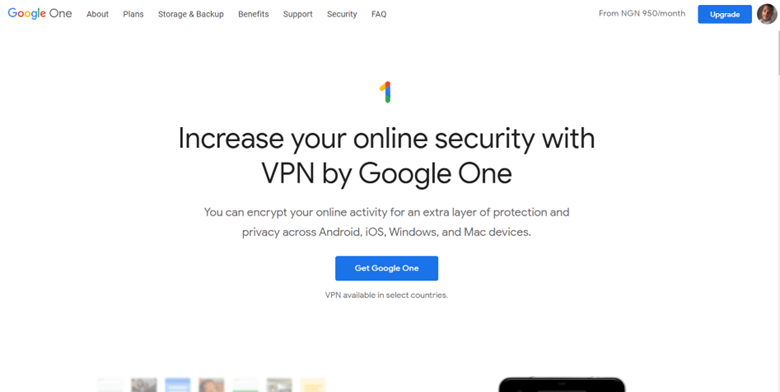
VPNs have exploded in popularity in recent years as more people seek to protect their online privacy and security. Google, one of the world’s largest technology companies, has launched its own VPN service, Google One VPN. Under the Google One brand, it is bundled with Google’s cloud storage plans.
Google has made a lot of money by tracking users on the internet, and it’s now offering a solution to many of the problems it’s caused if you’re willing to pay a monthly subscription. Every website you’ve visited is known to your internet service provider (ISP). These websites have access to your internet protocol (IP) address, which tells them where you are and allows them to identify you personally.
Google’s solution is a VPN, which allows you to use one of its servers as the origin of your internet activity by encrypting your data locally before sending it to the server. In this Google One VPN review, I’ll let you decide whether this new VPN from the world’s largest tech company is worth using.
About Google One VPN
Google One is a Google subscription service that provides expanded cloud storage and is aimed at the consumer market. Google One paid plans start at 100 gigabytes and go up to 30 terabytes, which is an increase from the free Google Account storage space of 15 GB, which is shared across Google Drive, Gmail, and Google Photos.
Google One, which debuted in May 2018, replaced Google Drive’s paid services to emphasize the program’s use by multiple Google Services. Users cannot access the program’s raw storage, but emails, files, and photos can be added and removed via Gmail, Google Drive, and Google Photos.
Google One VPN Pros and Cons
Pros
- Easy to set up and use
- Free with Google’s premium Google One storage plans
- Split tunneling
- Kill switch
- Dark web monitoring
- Low price
- Included with Google One bundle
- Available on multiple operating systems
Cons
- Can’t be bought separately
- Only available in 18 countries
- Only one VPN protocol
- No VPN server location list
- Google’s history of privacy breaches
- Blocks many streaming service providers
- No ability to choose a country server
- No additional features
Read Also our Full reviews:
Google One VPN Core Features: How Google One VPN Works?
I discovered that after installing Google One VPN, you can toggle it on and off. However, as far as I could tell during testing, it has no additional features. Many VPN services allow you to use a kill switch or split tunneling, which will be discussed further below.
Almost all VPN services allow you to choose a server and at least two VPN protocols, but you won’t find any of that here, and I’m speaking from experience.
That means you can’t impersonate your location, which is one of the most common reasons people use a VPN. The VPN’s inability to change protocols makes it more difficult to avoid censorship by internet service providers (ISPs) and government systems such as China’s Great Firewall.
Server Count and Countries
I discovered that their service is only available in the following countries: Austria, Australia, Belgium, Canada, Denmark, Finland, France, Germany, Iceland, Ireland, Italy, Japan, Mexico, the Netherlands, Norway, South Korea, Spain, Sweden, Switzerland, Taiwan, the United Kingdom, and the United States.
Furthermore, there is no option to select a server or country for the VPN; instead, the app connects you to the server that is closest to your physical location.
Kill Switch
A kill switch is a VPN feature that allows the internet connection to be disconnected if the VPN is unintentionally disconnected. This is only when the VPN server is not responding and not when the user has chosen to deactivate the service. According to my findings, Google One VPN only has a kill switch for Android devices, which was the first platform supported by the service. It would be great if Google expanded this feature to other devices.
Split Tunnelling
Split tunneling is another VPN feature that allows you to select which apps on your device use the VPN connection. This can be useful if the VPN interferes with certain websites or apps or if it prevents you from accessing local content.
However, my testing revealed that Google One VPN does not support split tunneling and does not allow you to bypass the VPN by selecting individual websites, as some other services do.
I discovered that Google’s split tunneling feature operates on a blacklisting basis or by selecting which apps to exclude from the VPN tunnel while automatically routing all other traffic through the VPN. Meanwhile, the opposite option, which could otherwise be useful for users who only need a VPN for specific apps, is not available. After you’ve chosen which apps to bypass, the VPN must restart, but the connection is restored in seconds.
Other apps benefit from not having to use additional encryption or route traffic through potentially distant servers, whereas apps that require extra security or location-specific content can still use the VPN.
Encryption and Privacy
It was less impressive, however, when I discovered that the VPN client redirects you to Google’s Privacy Policy and Google One’s Terms of Service, neither of which mentions the VPN. This opacity encapsulates the issue of relying on Google to protect your privacy with a VPN. Because I can’t access the VPN without a Google account, I have to trust all Google services. My Google account is extremely private, particularly when I use Gmail or Google Search.
Although Google One VPN encrypts traffic between your devices and its servers, you’re probably still logged into your Google account while using it. As a result, Google knows what you and I search for online, which emails we receive, and where we go using Google Maps.
Google’s headquarters are also in the United States, making it subject to the Five Eyes and expanded Nine and 14 Eyes cybersecurity alliances. This means that data requested by law enforcement in that country can be shared with other members.
Over half of the 22 countries where Google One VPN is available are members of the 14 Eyes alliance. New Zealand is the only member of the alliance where Google One VPN is not available. Users in Austria, Finland, Iceland, Ireland, Japan, Mexico, South Korea, Switzerland, and Taiwan can download the app without fear because those countries are not members of the alliance.
My research revealed that determining which encryption standard the VPN employs was difficult because there is no information on the Google One website, and without the ability to select a VPN protocol, it is impossible to know how user data is encrypted.
However, Google claims that any data stored in Google Cloud is encrypted using Advanced Encryption Standard with 256-bit keys (AES-256), a virtually unhackable encryption method used by government agencies to protect sensitive documents.
Server Network
If you want to bypass geographical restrictions by routing your internet connections through the VPN’s servers in other countries, your VPN must have a large server network. This is most likely why, among other things, nearly all VPNs market themselves based on the size of their server network. However, I discovered that Google keeps its server information close at hand.
Despite my thorough research, it is not clear where all of the company’s servers are located on their website. It took a Google One subscription and a customer service call to inquire about Google’s servers. Even then, they simply replied with the 18 countries where Google VPN is available rather than actual server locations. Furthermore, it is unknown how many servers are available and how many each country has.
Dedicated IP Address
I discovered that there is no way to obtain a dedicated IP address with this VPN. Because the server selection mechanism is automatic, each time you connect to the VPN, you will receive a new IP address and server.
No-log Policy and Headquarters
According to Google’s white paper, the following information is not logged:
- DNS traffic is included in network traffic.
- The IP addresses of VPN-connected devices
- A user’s bandwidth consumption
- Connection timestamps of users
However, I believe that the provisions of the general white paper cannot be trusted because the general Google Privacy Policy admits that if you are logged into your Google account (which is required to use Google One), the following data may be collected:
- Your keywords
- The videos you view
- What you see and how you interact with content and advertisements
- Your audio and voice information
- Your purchasing habits
- People with whom you communicate or share information
- Your behavior on third-party websites and apps that use Google services
- Chrome browsing history that has been synced with your Google account
This vast amount of data is far more sinister than the data Google claims not to collect from VPN users.
Streaming
Although the Google One VPN website claims that you can hide your IP address and use the VPN to “browse, stream, and download content with a secure and private connection,” I discovered a footnote that stated, “You won’t be able to change your IP location to view content that is not available in your region.” That’s what I’d call food for thought.
When I tried to access their platforms, Hulu and BBC iPlayer’s proxy detection systems blocked the Google One VPN. Hulu immediately detected that I was using a VPN to access the service and blocked us, whereas BBC iPlayer filtered my signal out because the platform is only available to users in the United Kingdom.
Torrenting
Google makes no mention of torrenting or P2P networks in the documentation for this VPN. I can’t guarantee that this VPN will protect your identity while using a P2P network, so I don’t recommend it for that purpose. I never advocate illegally downloading copyrighted content but downloading from a legal P2P network without a VPN can be dangerous.
Snooze
It’s worth noting that the snooze feature disables the VPN for five minutes and displays a countdown until the automated reconnection time. When you activate the snooze feature, two new buttons appear: the first adds five minutes to the counter, and the second is the End Snooze button.
Google One VPN Pricing
With Google One VPN, you won’t have to worry about decision fatigue. There are three plans: Basic, Standard, and Premium, each with its own set of features. The most notable difference is the amount of storage provided by Google One Premium, which provides 2 TB of storage. Unfortunately, higher-tier plans do not provide a better VPN. The VPN is pretty basic because it’s part of the bundle, but it’s still a good, solid VPN for security; you just won’t get any other features found in independent VPNs.
Google One Basic costs $1.99 per month and $19.99 per year, Google One Standard costs $2.99 per month and $29.99 per year, and Google One Premium costs $9.99 per month and $99.99 per year. The Standard Plan offers 3% back on in-store credit for Google Store purchases, while the Premium Plan offers 10% back.
As part of the Google One cloud storage premium plans, Google One VPN has limited capabilities. To gain access to the VPN, you must purchase at least 2 terabytes (TB) of Google One cloud storage, which costs $99 per year or $9.99 per month. It is not available separately.
However, I discovered that one of the Google One VPN’s major drawbacks is that it can only be purchased with a paid subscription to Google One’s premium cloud storage services. The VPN is included with the purchase of a Google One plan with 2TB or more of storage for $9.99 per month or $99.99 per year.
They would like you to purchase a 5TB plan for $24.99 per month, a 10TB plan for $49.99 per month, and a 20TB plan for $99.99 per month if you need more online storage. Google’s recommended plan is the 5TB prepaid annual option, which saves you 17% per year and costs only $249.99 for the entire year, and any purchase of the plan earns you a 10% savings in Google Store credit.
Payment Method Options
Since all payments are made through the Google Play Store, payment method options are limited. Credit/debit cards are accepted as payment methods.
- Credit/debit cards
- PayPal
I discovered that, unlike many security-focused VPNs, there is no cryptocurrency option for anonymous payment. Even if a cryptocurrency option were available, anonymous signup would be impossible because accessing the Google Play Store and using Google One requires a Google account.
Read Also our Full reviews:
Google One VPN’s Privacy and Security
Although my testing revealed that Google One VPN may be suitable for users seeking 2TB of cloud storage and only basic VPN features, I would advise those seeking stronger privacy protections to look elsewhere. For the best online privacy, I recommend NordVPN.
This fledgling VPN will show promise if Google expands its capabilities. However, given its current limitations and Google’s track record of privacy violations, is this VPN really worth the money? I’ll leave that up to you!
Google One VPN Performance
Because I couldn’t select a server with Google One VPN, I could only compare my speeds with and without the VPN enabled. I just assumed the client was connected to a server in the United Kingdom because it connects to the nearest option. Regardless, the service performed admirably in my speed tests, with little to report in terms of degradation.
The Google One VPN is included with the Google One subscription, so you can’t buy it separately. To use this service, you must have a personal, not a business, Google account.
I attempted to download Google One onto MY iPhone 12 Pro Max after activating the service. The app downloaded successfully, but the VPN did not connect. It wouldn’t work even after I disabled all of the other security features on my phone. I ended up using my Windows 10 PC instead of my Mac to navigate between my personal Google account and my work Google account without too much confusion.
It was a relatively simple process to install the VPN on my Windows PC. Because Google wasn’t forthcoming with a description of the VPN features, I began exploring, only to discover that almost no features were available.
The extent of the customization I discovered was the ability to toggle between a precise and broad location and whether or not to launch the VPN when my computer started. Aside from that, you’re basically just using this for security.
I evaluate VPNs based on their speed, security, and ability to access geo-restricted content on streaming services. Netflix is my go-to streaming service because it is the most difficult to circumvent with a VPN. I use the Speedtest website from Ookla. In addition, I run DNS and WebRTC leak tests from reputable testing sites to fairly assess a VPN’s security. All of these are consistent across all of my testing.
Speed Tests
Results of the Google One VPN speed test. Google One VPN’s speed tests were successful. Initially, I attempted to install Google One VPN on my iPhone 12 Pro Max, but it refused to connect. So, I switched to my Windows 10 PC and was able to install and connect to the VPN without incident.
When you first connect to the VPN, there is some lag. Anyone who remembers dial-up internet will recognize the concept: give it a second to “boot up,” and then you’ll be able to use it without issue.
After connecting, however, I didn’t run into any problems or noticeable lag times. I noticed that the speed tests weren’t that vastly different from my normal speed without the VPN. To be honest, because of how bare-bones this VPN is, I expected the speeds to be significantly slower. I was pleasantly surprised by the results.
Google One VPN Netflix Tests
Google VPN Service Test results from Netflix. Google One VPN did not pass its Netflix tests. Unfortunately, Google One VPN does not allow you to watch Netflix. Netflix’s VPN detection is sophisticated, and Google One VPN isn’t sophisticated enough to beat it. The Netflix website would not even load. I tried several methods, but the only one that worked was to disable Google One VPN.
DNS and WebRTC Leak Tests
Google developed Web Real-Time Communication (WebRTC) to improve the quality of audio and video calls. However, WebRTC exposes a user’s IP address, even if they use a VPN. I discovered that there was a browser leak test that was used to test the VPN.
It’s unsurprising that Google’s VPN continues to enable this privacy leak, given that it’s the source of it. This leak is present in Google Chrome, and almost all desktop browsers, including Vivaldi, Edge, Opera, Epic, and Brave, are based on the open-source version known as Chromium.
Firefox is one of the few browsers not based on Chromium but was also affected by the leak. Safari was the only browser tested by me that did not have the leak. However, there are other tools available on the market that can help you avoid WebRTC leaks.
Breaches and Audits
Google’s independent audit is over two years old, so I’m not sure if it still applies to the service’s current code. Google promises open-source code but admits it “may not be buildable.” This means it cannot be used to create a working version of the Google One VPN desktop or mobile apps, implying that the code may contain errors or that parts of the codebase are still missing.
However, I discovered that there is no active community of white hat hackers testing the code for security flaws, owing to the developers’ failure to respond to many issues. Because the majority of issues appear to be customer support inquiries, there is little evidence that the code has been rigorously tested.
Apps and Compatibility
According to my testing, Google One VPN is only compatible with The Big Four operating systems: Windows, macOS, Android, and iOS. VPN users must install the Google One app on their Android, iOS, or iPad devices.
Contrary to popular belief, the app does not require a Google One subscription, and the Apple App Store description states that it can be used to back up data to the free 15GB storage allowance. Google One’s lowest tier offers 100GB, while the highest offers 200 GB. However, I discovered that when installing the VPN for Mac, you must first download a dmg file from Google.
When active, the Google One VPN appears as a menu bar item in macOS rather than as a Dock icon. I discovered that you can access the main user interface by clicking the logo in the menu bar and turn on or off the VPN. It has no other functionality other than a large graphic and three bullet points that explain why a VPN is required.
Apple, on the other hand, ensures the stability and security of App Store apps while allowing developers to prove this for direct downloads. When an app is signed and notarized with its developer ID, macOS knows it hasn’t been tampered with in order to include malicious code.
I can tell you that the only way to get this app on macOS is to install an app from an “unidentified developer,” which is Google in this case. Similarly, the Windows 11 app avoids the Microsoft Store’s stability and security checks by allowing a.exe file to be downloaded directly from Google.
When I installed the VPN for PC, the VPN caused an error, notifying them every five seconds that it had failed to connect and was attempting to reconnect. These notifications continued even after the VPN was turned off and closed. The VPN settings page in Windows 11 showed that no VPN had been added.
Router Compatibility
By providing software that can be installed on the router, many VPN providers enable their services to be used by all devices connected to a Wi-Fi network. This necessitates the use of a router that can install custom firmware, such as the various OpenWRT and Tomato routers. One of the major benefits of doing so is that the router only counts as one device, allowing unlimited devices to connect to your network and use the VPN without exceeding a VPN service’s device limit.
This is less useful for Google One VPN, which does not have device limits and does not appear to be compatible with routers in any case.
Is Google One VPN Easy to Use?
My testing revealed that the Google One VPN is reasonably user-friendly. The VPN itself is straightforward and easy to use. Their customer service process, on the other hand, is inefficient.
Based on my experiences with Google One VPN, I came to the following conclusions:
- Buying the Google One VPN is as simple as buying an app from the Google App Store.
- The VPN is simple to set up.
- The VPN itself is simple to use, even if you have no prior VPN experience.
- Google One’s customer service is provided by real people, but reaching them requires filling out a form and waiting for them to respond.
Read Also our Full reviews:
Google One VPN Customer Support
I can attest that Google One subscribers can receive support that regular Google users do not have access to. Chat messages are answered in 2 to 3 minutes, while emails are answered within 24 hours, according to the Google One support page. This was evident when I tested their customer support service. It was exactly as expected, and I was very impressed.
There is no phone support, and most other pages direct you to Google Help, which is a collection of articles on specific topics that may help you resolve your problem.
Google One, as the name suggests, is a single subscription that includes multiple services. The support options are similarly broad, and I was able to get help for anything from YouTube to Google Search just as easily as I could with the VPN feature.
How Do I Install and Set Up Google One VPN?
The installation process is similarly simple, with the Google One app taking only a few minutes to install. Follow the steps outlined below on your device:
- Visit the VPN on Google One official website.
- Tap “Get Google One” to open the Google Play Store and find the Google One app.
- Select “Install.”
- Launch Google One once the installation is complete.
- You can choose your desired Google One subscription level within the app. To get the VPN, choose the 2TB (or larger) plan.
Once the payment is processed, you will have access to all of the benefits of your Google One plan. Scroll down to the dialogue box that says “Online protection with a VPN” and tap “Enable VPN” under the Home tab. This will take you to the VPN’s settings page.
Frequently Asked Questions
Is Google One VPN good?
Yes, Google One VPN is useful for keeping your traffic encrypted while online, whether at home or on public Wi-Fi.
Is Google One VPN Safe?
According to a commissioned third-party audit, the Google One VPN meets a high level of security. While the audit found no abuses or serious vulnerabilities in the VPN, Google’s track record of violating their users’ privacy raises concerns about the VPN’s dependability.
Can You Change Your Location with Google One VPN?
No, because there is no way to choose your location. The VPN will connect you to a server in the United States automatically.
Is the Google One VPN Free?
No, the Google One VPN is only available with the purchase of a Google One subscription with at least 2TB of storage space.
Conclusion
Although the VPN is relatively fast, it does so by automatically selecting a server near your location. Most users would prefer to be able to choose a server in another country to access content that is not available locally, but this is not possible with Google One VPN. Because my experience with Windows 11 did not allow me to use the VPN for privacy purposes, my overall opinion of Google One is quite negative.


