


While browsing the internet, our most valued commodity is the digital footprints we leave across all the sites we browse. However, that should not be a problem with the right VPN to cover all our tracks and grant us invisibility.
Spending a lot of time on the internet has necessitated the need to get a reliable VPN that will keep my online presence a secret while offering other side benefits. Avira Phantom VPN has proven to be a reliable VPN that meets my expectations with its offerings
Avira Phantom VPN is one of the oldest VPN companies, with over 35 years of service. If you need an award-winning VPN that keeps improving to meet customers’ needs and expectations, I recommend Avira Phantom VPN.
Being an award-winning VPN is not enough reason to choose a VPN service; it is advisable to also know what benefits the company offers.
In this article, I will give a detailed review of the unique features, offerings, performance, and other necessary information that will help you decide if Avira Phantom VPN is the right one for you.
About Avira Phantom VPN
Avira Phantom VPN is a much-needed addition to the cybersecurity world. This software is from the same company behind the well-known Avira antivirus, the one with the iconic umbrella logo. Back in 2016, they decided to step into the VPN game with Avira Phantom VPN, which has since become part of their cybersecurity products.
Avira Phantom VPN is one of the main software products offered by Avira Operations GmbH & Co. KG. This company has been in the business of providing cybersecurity software to the public since 2006. But it goes even further than that.
They have a solid track record, dating all the way back to 1986 when they started with antivirus software. So, they’ve got more than 30 years of experience offering products in the cybersecurity industry.
If you’ve been in the computer world since the early 2000s, you’ve probably come across Avira, the freemium antivirus software that many of us have used.
Avira made a name for itself through that, and it’s following a similar path with Avira Phantom VPN. The cool thing is you can actually get started with it for free. All you need to do is download the app for Windows, Mac, iOS, or Android and create an account.
The Avira Phantom VPN is widely known and used, as it has already seen more than a million downloads and subscriptions. If you’re looking for a VPN to hide your IP address, secure your data with AES-256 encryption, and ensure your online privacy, Avira Phantom VPN could be a reliable choice.
It’s especially handy when you’re dealing with sensitive information like online banking or shopping on unsecured public Wi-Fi networks, like those at coffee shops or airports.
Avira Phantom VPN Pros and Cons
Since this is a review, I have to talk about the strengths and weaknesses of the VPN. This will help you make a better decision.
- Free Version: Avira Phantom VPN offers a free version, which is great if you want to try it out without any financial commitment. It provides a taste of what the paid version offers, allowing you to explore and use the VPN’s features before deciding if you want to invest in a subscription.
- User-Friendly Interface: Avira Phantom VPN has a user-friendly design. Its interface is functional and straightforward, making it accessible to users with varying levels of technical expertise. You won’t need to be a tech guru to navigate and use this VPN.
- Unlimited data: You don’t have to worry about data restrictions with Avira Phantom VPN. Many free or limited VPN services impose data caps, meaning you can only use them for a limited amount of data each month. Avira’s paid version doesn’t have such limits, so you can stream, browse, and download as much as you want without running into data constraints.
- Data encryption: Avira Phantom VPN uses AES-256 encryption to protect your online communications. AES-256 is an industry-standard encryption method used by banks, the military, and security professionals. It’s like having a strong wall around your data, ensuring that your private messages and online activities remain confidential and secure from prying eyes.
- Unlimited devices: Avira Phantom VPN lets you use the service on multiple devices simultaneously. This means you can secure your smartphone, tablet, computer, and other gadgets with a single subscription. You don’t have to juggle between different accounts or subscriptions for each device; it’s all covered under one plan.
Cons
- Inconsistent Speeds: One of the drawbacks of Avira Phantom VPN is that it doesn’t consistently provide fast speeds. Speed is one crucial feature needed for streaming, online gaming, and quick downloads. During the testing, I noticed that, especially when connecting to servers in distant locations, the VPN can be slow, leading to buffering when watching videos or longer load times for websites.
- Unclear Privacy Policy: Avira Phantom VPN’s privacy policy has raised concerns. While they claim to have a strict “no-logs” policy, they keep track of the traffic consumed and other diagnostic data, such as bug reports. This has raised some eyebrows as there are doubts that they do not keep track of other important data.
- Not Many Servers: Avira Phantom VPN has a limited number of servers available, operating in only about 34 countries. Having a broad server network is important because it allows users to choose from various locations to optimize their connection speed and bypass geo-restrictions. With a limited number of servers, you might encounter server congestion and not have access to content from certain countries. Also, while they claim to have a strict “no-logs” policy, their location in Germany, a member of the 14 Eyes Alliance, means they could be compelled to share data in certain situations.
- No Customer Support for the Free Plan: If you’re using Avira Phantom VPN’s free version, you won’t have access to their customer support. This can be frustrating if you encounter technical issues or have questions. For free users, you’ll primarily have to rely on online resources and the knowledge base, which might not provide the immediate assistance that talking to a support agent would.
- No Split Tunneling Feature: Split tunneling is a handy feature offered by some VPNs that allow users to choose which apps or data are routed through the VPN and which use the regular, unencrypted internet connection. Avira Phantom VPN lacks this feature, which can be limiting for users who want more control over their internet traffic.
Read Also our Full reviews:
Avira Phantom VPN Core Features: What Does Avira Phantom VPN Offer You?
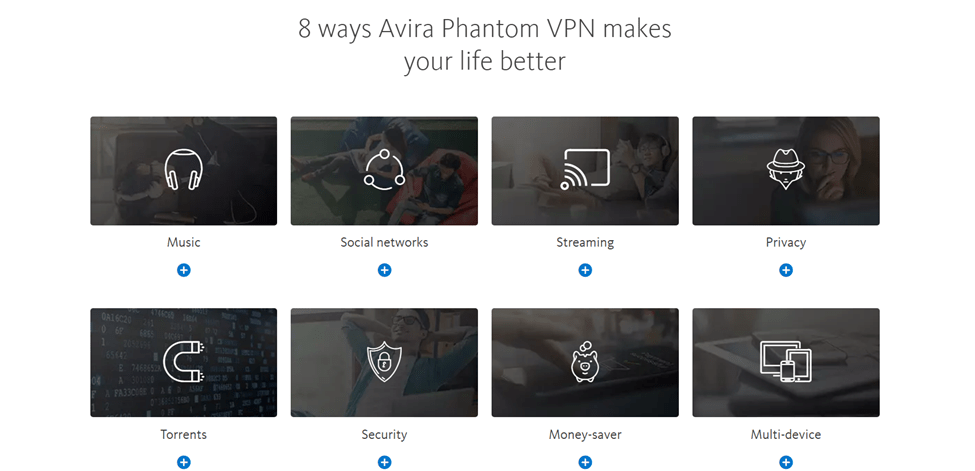
On their website, Avira Phantom VPN stated a lot of features they offer; however, after testing the VPN, I have come up with the features that truly work and how effectively they work.
Adware & Malware Blocker
When activated, the adware and malware blocker feature effectively gets rid of unsolicited ads on websites and prevents malware like viruses and ransomware from infiltrating your device. It is a great addition to enhance your online security, as it also blocks web data harvesting trackers.
Malicious Site Blocking
Avira Phantom VPN provides a toggle for blocking malicious sites. This feature prevents malware from infecting your devices through dangerous sites. When enabled, it filters out dangerous web content, enhancing your browsing safety.
This not only includes blocking malicious sites but also filters out spam, phishing attempts, and fraudulent URLs. While it’s not a full-fledged antivirus and doesn’t scan downloads for Trojans, it safeguards against accessing websites that pose security risks, such as phishing sites.
Also, it doesn’t cover intrusive ads and trackers, so using an adblocker in conjunction with the VPN is a smart move for comprehensive protection.
However, it’s worth mentioning that during testing, I found limited evidence of the malicious site-blocking feature effectively working. It seems to be based on Avira’s database of dangerous sites, and it didn’t block some obviously suspicious links during my tests.
Automation
Avira Phantom VPN offers an automation feature that can be a time-saver. You can pre-configure the VPN to connect automatically to specified networks. For example, when you connect to your favorite coffee shop’s public Wi-Fi, the VPN will initiate the connection automatically.
It also allows you to set the VPN to launch during system startup, saving you the trouble of manually starting it.
Kill Switch
The kill switch feature blocks your device’s internet traffic if the VPN connection drops unexpectedly. This prevents your ISP and the websites you’re visiting from accessing your real IP address and browsing data. While this is a crucial privacy protection measure, it’s worth noting that Avira Phantom’s kill switch feature is available only for Windows users.
Unblocking Websites
Avira Phantom VPN impressively unblocks geo-restricted content, making it a suitable choice for streaming enthusiasts. During my tests, it allowed me to access Netflix libraries from various regions, ensuring a wide range of content options.
Streaming speeds were decent, even when connecting to servers located far away. However, the limited server locations can restrict your choices for certain content.
Peer-to-Peer Downloads and Torrenting
For those who engage in P2P file downloads and torrenting, Avira Phantom VPN provides support. While it doesn’t have dedicated servers for P2P, some of the servers I tested worked well for torrenting. It might require a bit of digging to find the right server, but it’s certainly better than having a VPN that doesn’t support torrenting at all.
OpenVPN Tunneling
Avira Phantom VPN uses OpenVPN for Windows and Android users, providing an optimal balance between security and speed. For Mac and iOS, it employs the IKEv2 protocol, which, while slightly less secure than OpenVPN, still offers impressive speeds.
DNS Leak Prevention
DNS (Domain Name System) leak protection is an important feature any reliable VPN should have. It prevents your Internet Service Provider (ISP) from monitoring or intercepting your DNS queries.
With DNS leak prevention, Avira Phantom VPN makes sure that this addressing process is done privately through the VPN, keeping your real location and activities hidden from your internet provider.
Anonymous Surfing
When you surf the internet, websites can see your unique address (IP). Avira Phantom VPN changed this address to one of its own. So, it’s like using a different return address when you send mail. This makes it tricky for websites or advertisers to know where you’re actually located or who you are.
Encryption
Avira Phantom VPN uses a powerful encryption method known as the “256-bit Advanced Encryption Standard.” This encryption is incredibly strong because it relies on a 256-bit key to protect your data. The key is like a super complex code with 256 digits, making it almost impossible for anyone to crack. Even the most powerful computers would take an eternity to decipher it.
This level of encryption is widely trusted and used by many VPN services, as well as banks and secure password managers, to keep sensitive information safe. With Avira Phantom VPN’s 256-bit encryption, you can rest assured that your data remains hidden and secure while traveling through the internet.
Avira Phantom VPN Pricing

If you’re someone who likes to test the waters before diving in, there’s a free version available. However, it comes with a bit of a catch. You get 500MB of data, or 1GB if you’re willing to share your email address. While it’s a nice option to have, it’s not a ton of data to work with, especially when you consider that some other services offer a whole lot more.
Now, if you opt for the free plan, you won’t have the flexibility to pick a specific server. This means that if you intend to watch Netflix in Japan or the U.S., you can’t do it with the free version. It’ll automatically connect you to the nearest available server based on your location.
For those who want a bit more control and a smoother experience, Avira Phantom VPN offers two paid plans. The first one is the Avira Phantom VPN Pro plan, which costs $8 per month, or you can save with an annual subscription at $62. This plan supports an unlimited number of devices, which comes in handy if you have multiple gadgets to secure.
Then there’s the Avira Phantom VPN Mobile plan, designed specifically for mobile devices running iOS or Android. It’s a bit more wallet-friendly at $4.99 per month. You can benefit from the seven-day free trial offered by the Avira VPN app for Android or iOS
For payment, Avira accepts major credit cards like Visa, MasterCard, Barclays, and Discover Card, and you can also use PayPal.
In terms of pricing, Avira Phantom VPN falls within the standard range compared to other VPN services. However, considering the overall value you get with its features and performance, it might be worth exploring other options.
Like many VPN providers, Avira does offer discounts for those who opt for longer-term subscriptions. There are other discounts like student plans and senior plans too. So, it’s worth considering your needs and budget to find the right plan for you.
Also, if you are not satisfied with the service, you have 60 days after purchasing an annual membership to cancel your contract and ask for a full refund and 14 days for monthly subscriptions. This gives you ample time to test the VPN and decide if it is the right one for you. In other words, you are not taking any risk if you try the free or paid version of Avira Phantom VPN.
Avira Phantom VPN Privacy and Security
Avira Phantom VPN prioritizes your online security with a robust technical setup, but there are areas that could benefit from more transparency and clarity.
Avira Phantom VPN uses the industry-standard 256-bit Advanced Encryption Standard (AES). This encryption is widely used by VPN service providers, password managers, and even banking institutions. It’s known to be virtually unbreakable due to the incredibly long bit string, making brute-forcing practically impossible. In essence, your data remains highly secure.
In the Pro version of Avira Phantom, a “kill switch” feature is available. It can be enabled to ensure that your online traffic halts and remains encrypted in case your VPN connection drops for any reason. This is particularly important for safeguarding your data from potential cyber threats.
Avira Phantom VPN makes an effort to prioritize your privacy. Avira is based in Germany, which is a member of the 14 Eyes Alliance, a group of countries with laws that allow them to obtain customer information from companies located there. They adhere to the rules and regulations of the German Telemedia Act and the European General Data Protection Regulation (GDPR-EU). Their logging policy is reassuring – they only collect bandwidth usage without logging data from users without their consent.
They don’t sell data to third parties and don’t store logs of original IP addresses, DNS requests, or any details that could compromise your internet privacy and data security. While this may raise concerns about data sharing,
Avira’s privacy policy for Avira Phantom VPN clearly states a no-logs policy. They don’t log your browsing data or pass personal and usage data to third parties. However, a more detailed and straightforward privacy policy would be welcomed
Read Also our Full reviews:
Avira Phantom VPN Performance
Despite its many benefits, performance still ranks high as a determining factor that will influence your choice of VPN. In my experience with Avira Phantom VPN’s performance, it’s been a bit of ups and downs
Speed
I put Avira Phantom VPN to the test using a U.S. server, and it did effectively bypass Netflix blocks, along with Hulu, HBO Max, BBC iPlayer, and Amazon Prime. However, the download and upload speeds are not up to par, especially when it comes to overall streaming performance. Here are some of my speed test results
Baseline Speeds: Before my tests, I established baseline internet speeds. My download speeds were 352.21 Mbps, upload speeds at 22.79 Mbps, and pings at 14 ms. These speeds met the recommended standards for most households and gaming.
Gaming Performance: For gaming, it was a bit of a struggle. Games like League of Legends had longer load times, frequent buffering, and a noticeable drop in frame rates.
Server Options: You should know that the number of server options plays a big role in speed. Avira Phantom VPN has a relatively limited number of server options, which can result in higher server loads and, consequently, slower speeds.
Test Results: Unfortunately, Avira Phantom VPN didn’t quite live up to my expectations. Speeds were noticeably slow across various server locations, including Miami, London, Montreal, and Sydney. The slow speeds can be a hindrance, particularly for activities like streaming and online gaming, leading to buffering and delays.
Streaming: Surprisingly, despite the slow speeds, Avira Phantom VPN managed to excel in streaming performance on Netflix. It provides reliable streaming without lagging or buffering issues, which is definitely a plus for those who love their streaming content
Reliability.
During my usage, I found Avira Phantom VPN to be inconsistent. While it did perform well in unblocking streaming services like Netflix, the frequent buffering and lag during streaming on some servers in distant locations left me a bit frustrated. It’s a service that seems to work well one moment and then fall short the next.
I’d say Avira Phantom VPN has some room for improvement, particularly when it comes to enhancing its server speeds for a smoother online experience. While it’s effective in unblocking streaming services, the slow speeds may not be ideal for bandwidth-heavy activities or online gaming.
To sum it up, while Avira Phantom VPN has its strengths, it’s important to consider its speed limitations when deciding whether it suits your specific online needs.
Is Avira Phantom VPN Easy to Use?
Avira Phantom VPN is designed with user-friendliness in mind. Whether you’re a VPN novice or a seasoned pro, the ease of use is an undeniable feature.
Desktop App: The desktop app has a simple and straightforward design, making it an excellent choice for beginners. All it takes is installing the app, launching it, and hitting the “Secure my location” button, which turns green once you’re connected. Plus, you have the option to set the VPN to auto-connect whenever it detects an available network, a handy feature when you’re on public WiFi.
Server Selection: For Pro users, choosing a server is just as easy. Go to the “select virtual location” option and scroll through the list of countries. They’ve even added an orange or green latency speed indicator next to each option, with green being the faster choice. This is a streamlined approach even though city names are not specified.
Customization: The app also lets you choose between dark and light modes, allowing you to personalize your experience. While it might not have an eye-catching global map display like some VPNs, it still works fine.
Compatibility: Avira Phantom VPN supports all the major operating systems, including Windows, Android, macOS, and iOS. They even offer a Chrome extension. Unfortunately, it’s not compatible with Linux or routers, which is a bit of a downer.
Mobile Experience: Using Phantom VPN on a mobile device tends to be a smoother experience. The mobile version is less clumsy compared to the desktop client, making it a top choice for smartphones and tablets at a reasonable price.
I commend how Avira Phantom VPN has come up with a clean and easy-to-use app. Choosing a server and connecting takes just a couple of clicks, and the server list provides valuable information, such as latency for each country. This information is particularly handy for choosing the fastest locations. Overall, my experience with the app was hassle-free and user-friendly.
Read Also our Full reviews:
Avira Phantom VPN Customer Support
When it comes to customer support, Avira Phantom VPN takes a somewhat mixed approach. Customer support is primarily available to those who have opted for the paid plan. Unfortunately, if you’re using the free version, you won’t have direct access to their customer support.
For users on the paid Pro subscription plan, you can contact a representative via email. It’s worth noting that this method may be slower and more efficient than a live chat with a real person.
Regardless of your subscription, all Avira users can access the knowledge base. This resource provides answers to frequently asked questions (FAQs) and offers short tutorials to help you set up your VPN. It’s a handy self-help option for common queries.
If you prefer to seek advice from fellow users, Avira also maintains a community forum where you can post your questions and engage with the community. You can also reach out to Avira through their social media channels on Facebook and Twitter, where they actively engage and provide answers.
In the event that you need to get in touch with a data protection officer, you can do so by contacting datenschutzbeauftragter@avira.de. In addition to email, you can post your questions on Avira’s message board, where they will be visible to the community
On the downside, Avira might be considered somewhat economical when it comes to product presentation. The online knowledge section, while available, doesn’t cover all topics comprehensively.
For instance, it may not provide detailed explanations of authentication mechanisms or information about the use of virtual servers. Also, Avira’s guides tend to be quite simplified, which is great for beginners but might disappoint those seeking more in-depth setups or technical information.
Initially, they dedicated a web portal to address problems and questions, offering help pages,
Avira Phantom VPN provides customer support through multiple channels, but keep in mind that certain options are reserved for paid subscribers. If you’re comfortable with self-help resources and community engagement, Avira’s knowledgebase and forums can be quite useful. However, for those seeking direct, real-time assistance, the availability might be limited compared to some other VPN providers.
How Do I Install and Set Up Avira Phantom VPN?
To get started with Avira Phantom VPN, follow these simple steps to install and set it up on your desktop system:
Installation
- Download and install Avira Phantom VPN on your desktop system.
- Follow the installation prompts, and once it’s installed, you’re ready to get started.
Setting Up Avira Phantom VPN:
- Locate the Avira icon in the system tray, usually located in the lower right corner of your desktop screen.
- Click on the Avira icon to open the Avira user interface.
- In the Avira user interface, navigate to the left menu and select “Privacy.”
- From the Privacy section, click on the “VPN” function.
- Now, you can select your desired virtual location from the list provided. This allows you to choose the server location that suits your needs.
- Finally, to secure your connection and activate Avira Phantom VPN, click the “Turn on VPN” button.
FAQs
Is Avira Phantom VPN free?
There is a free version of the Avira Phantom VPN. So, if you are skeptical about subscribing without testing the software, you can use the free version. However, to have the full experience, it is best to pay for a subscription plan.
Does Avira Phantom VPN track my info?
No, Avira Phantom VPN does not track the websites you visit or any information that could be used to trace your online activities back to you. What they do track is how much traffic is consumed, other some diagnostic data, such as bug reports.
P.S. You can disable these features from within the product if you prefer to stay off the grid.
What is the limit of Avira Phantom VPN?
If you are using the premium version of Avira Phantom VPN, you have unlimited data usage. However, you can use 500MB per month with the free Avira Phantom version and 1GB per month if you register with your mail
Is free Avira Phantom VPN safe to use?
Free Avira Phantom VPN is as safe as the paid version. Both versions use the 256 Advanced Encryption Standard to protect your data. This implies that it would take billions of computers longer to decipher this encryption.
Read Also our Full reviews:
Conclusion
Avira Phantom VPN is a VPN service that does not have many fancy features or server choices, but it does have its strong points. If you love streaming content and need a VPN that reliably beats those annoying location restrictions, this is a good choice.
Avira Phantom VPN is a reliable VPN for streaming and light internet use. It’s easy to use, and they’re there to help if you need assistance. If you’re all about streaming or just need a basic, free VPN for the internet, Avira Phantom might be perfect.
But if you need a VPN with fast speed, you might have to look elsewhere. Also, remember that you might be limited in locations due to the limited servers.


