

Websites are the key to the success of many businesses in Canada. You need a highly functional and professional-looking website to attract and engage your audience and customers.
Fortunately, we have various ways of building a website today, one of which is by using a website builder.
Website builders are increasingly becoming a popular tool for creating simple and complex websites. In my opinion, these tools don’t have to be so expensive and complicated.
Some companies have a large budget to hire web designers and developers to create a website for them.
However, not every business, startup, or individual has such a generous budget to hire someone to build their website – and that is where a website builder comes in.
These tools let you build your website yourself using drag-and-drop features and pre-designed templates already created by professionals.
A website builder was my best buddy when I first emerged in this space, and I still find it very useful to date.
You can use some of these tools to build a website from start to finish in just a few hours. With this, you can get your new website up and running in one day.
However, it can be overwhelming to choose the right one from the pool of options available today. You need to consider many factors before choosing a website builder.
To help make things easier for you, I have researched and compiled a list of the best website builders in Canada. Read on to see my top recommendations and pick an option that best meets your needs and budget.
The 8 Best Website Builders in Canada
1.Wix


Professional: $12/month billed annually or $16 month-to-month
Performance: $26/month billed annually or $29 month-to-month
Read More
5.WordPress.com
6.GoDaddy


Pro Plan Price: $8/mo (33% off)
Premium Plan Price: $16/mo (33% off)
Read More
1. Wix – Overall Best
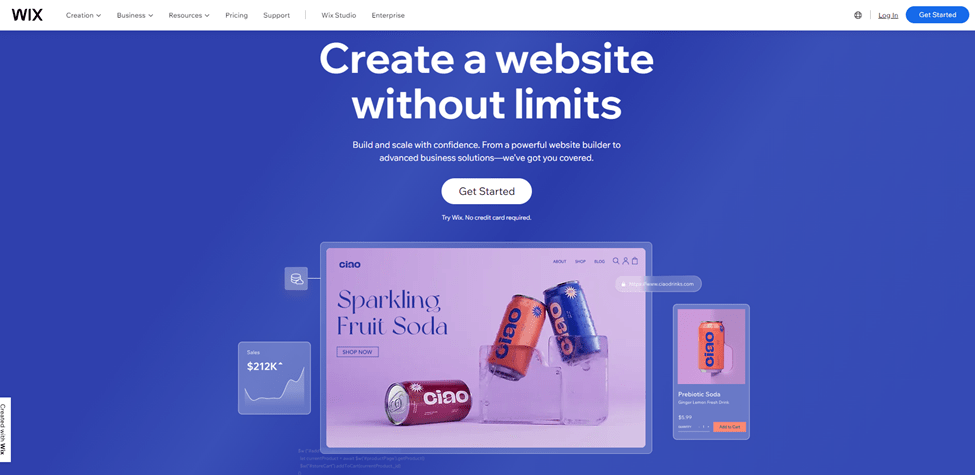
Wix is a powerful website builder tool you can use to create websites simple and complex websites without limits.
This website builder made it to the top of my list because of its ease of use and simplicity. I recommend it as one of the best website builders for beginners in Canada.
Despite being simple and easy to use, this tool is powerful enough to allow you to do anything you want with your website.
One of the core features of this website builder is its drag-and-drop editor. This feature allows you to build your website or online store by just dragging elements and placing them where you want.
The company claims that over 110 million active websites were built using Wix, and it is easy to see why. Millions of users love Wix for its flexibility, features, and convenience.
I also had a great time using it, as it made website development much easier for me.
With its intuitive interface, you can easily and quickly customize one of the numerous accessible templates to create a beautiful and functional website.
Another thing I love about this website builder is that it offers mobile-optimized tools that let you build mobile-friendly websites.
Wix is at the top of the responsiveness game. The tool will ensure your website displays appropriately across all screen sizes and devices.
This website builder also caters to a wide range of users. They’ve got your back with everything from enterprise-grade business and backend capabilities to cutting-edge marketing and SEO applications.
Wix also lets you customize colors and fonts, allowing you to build a website that complements your business colors and style.
You can also make your website look more professional with a custom domain or connect with your already existing one. They also offer free hosting to help you kickstart your online journey without breaking the bank.
In addition to providing you with all the tools you need to build a beautiful website, Wix also offers SSL certificates. This will enable you to secure your site and boost your SEO.
Wix Pricing
- Connect Domain ($4.50/mo): This plan offers 500 MB storage, a custom domain, and 1 GB of bandwidth.
- Combo ($8.50/mo): The additional offerings of this plan include 2 GB of bandwidth and 3 GB of storage.
- Unlimited ($12.50/mo): This plan offers unlimited bandwidth, making it ideal for entrepreneurs and freelancers.
- VIP ($24.50/mo): This plan offers social media logo files, a professional logo, priority customer care, and more storage space.
Pros and Cons
pros
- They offer a free plan and a 14-day money-back guarantee.
- User-friendly drag-and-drop website builder.
- Wide range of pre-designed templates for various purposes.
- No coding skills are required to create a website.
- Offers built-in hosting and domain registration.
- App Market for adding extra functionality to your site.
- Suitable for beginners and small businesses.
- Provides eCommerce features for online stores.
cons
- Limited flexibility for advanced customization compared to self-hosted platforms.
- Switching templates can be cumbersome.
- May experience limitations as your site grows.
- Advertisements on the free plan and limited resources.
- Once you choose a template, you can’t switch to a different one.
Rating Based on Expert Review
| Attributes | Rating | Remark |
| Features | 4.5/5 | Offers a wide range of features, especially for beginners. |
| Reliability | 4.5/5 | You can rely on them for quality services and uptime. |
| Ease of Use | 5/5 | Exceptionally user-friendly, perfect for beginners. |
| Pricing | 4.5/5 | Offers various pricing plans to fit different needs. |
| Support | 4/5 | Customer support can vary in responsiveness. |
| Overall Rating | 4.5/5 | A popular choice for easy website building. |
2. Shopify – Best for Building E-Commerce Websites
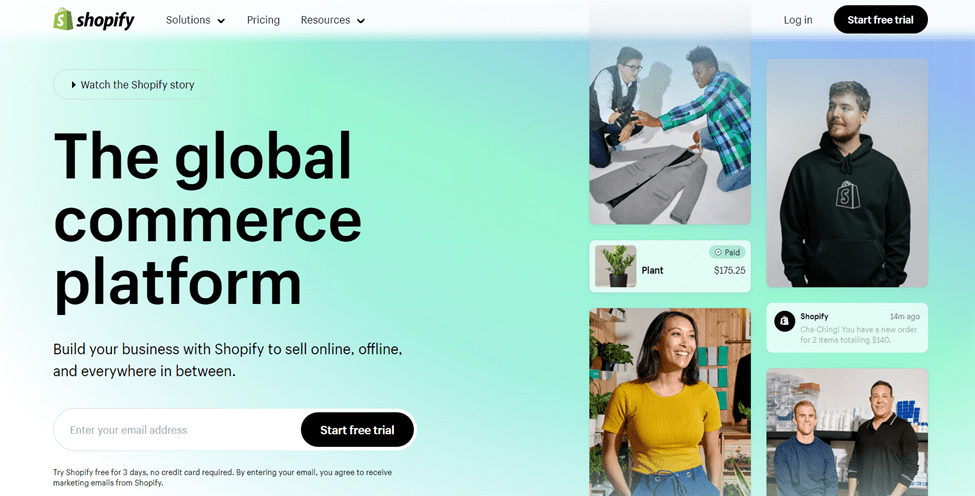
I absolutely love Shopify! Being a Canadian company, it’s a powerhouse when it comes to creating eCommerce websites.
Even if you’re not a coding expert, you can still craft a stunning website easily.
I’m always amazed by the fact that I can shape the entire look and feel of my site without diving into any code.
One thing that truly excites me is the diverse array of templates they offer. From sleek and modern to cozy and rustic, there’s a template to match any vibe you’re going for.
Plus, if you really want to stand out, you can invest in a custom-designed website that perfectly captures your brand’s essence.
Oh, and the payment options!
It’s like they read the minds of their customers.
With Shopify, you can spoil your customers with a whole range of choices, including the convenience of PayPal and the seamless experience of Stripe.
And guess what? Your website can automatically adapt to both desktop and mobile, so your audience can shop anytime, anywhere, flawlessly.
But let’s talk about customer service.
Whenever you have a question or run into a hiccup, Shopify’s got your back 24/7. Whether it’s through a friendly chat, an informative email, or even a good old-fashioned phone call, they’re there to guide you every step of the way.
What’s really cool is that a Shopify subscription isn’t just about the tools – it’s about the support. They shower you with free marketing tools that you can’t help but appreciate.
These resources, combined with their insightful tips, will really give your online presence that extra boost.
Now, I must admit, there’s a little catch. Shopify is the superstar of online stores, no doubt about that. But when it comes to blogging, well, it’s not exactly its strong suit. I learned that firsthand.
So, if you’re dreaming of a blog-heavy website, you might want to explore other options.
All in all, Shopify is my go-to for eCommerce excellence. From design and payments to customer service and marketing, they’re the whole package.
Just remember, while they might not be the best fit for blogs, they’re an absolute dream come true for turning your online store dreams into reality.
Shopify Pricing
- Basic ($32/mo): This plan is suitable for individuals and small businesses. It provides everything you need to build your online store, process payments, and ship products.
- Shopify ($92/mo): This plan is a level-up for small businesses. It has professional reporting and more staff accounts.
- Advanced ($399/mo): This plan is great for medium to large businesses. It offers the best of Shopify, including lower transaction fees and custom reporting.
Pros and Cons
pros
- Specialized platform for eCommerce websites.
- User-friendly interface for setting up online stores.
- Wide range of professionally designed templates.
- App Store for adding extra functionality to your store.
- Secure and reliable hosting for online businesses.
- Excellent payment gateway options.
- Provides tools for managing products, inventory, and orders.
cons
- Transaction fees for using external payment gateways on lower-tier plans.
- Customization options might be limited for advanced users.
- Some advanced features require knowledge of liquid programming language.
- Limited blogging and content management features compared to other platforms.
Rating Based on Expert Review
| Attributes | Rating | Remark |
| Features | 5/5 | Offers extensive eCommerce features and tools. |
| Reliability | 5/5 | Reliable hosting and security for online businesses. |
| Ease of Use | 4.5/5 | User-friendly interface for setting up stores. |
| Pricing | 3.5/5 | Monthly fees can accumulate for smaller businesses. |
| Support | 4.5/5 | Good customer support for eCommerce needs. |
| Overall Rating | 4.5/5 | A top choice for creating and managing online stores. |
Read our full review for Shopify
3. Squarespace – Best for Building Websites with Aesthetic Elegance
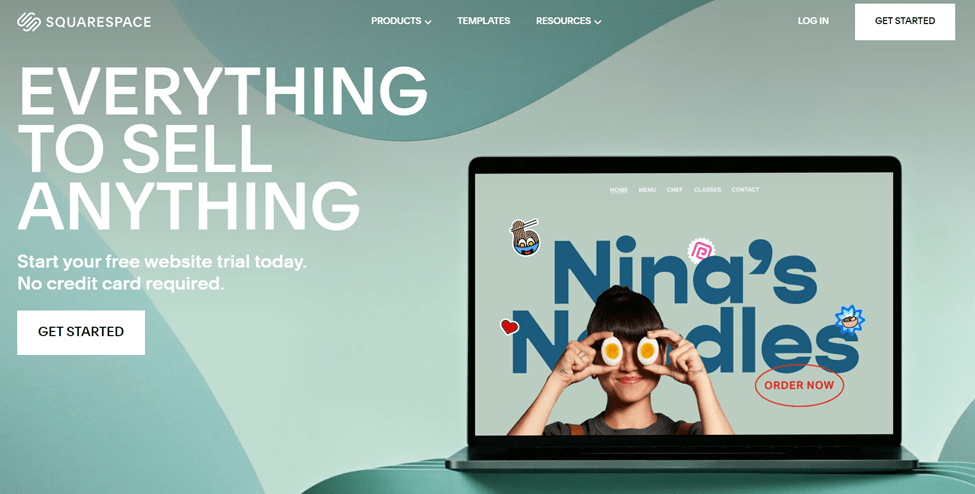
I’ve been really intrigued by Squarespace lately. It’s this awesome website design company based right in the heart of New York City.
They’ve got not only headquarters there but also offices in the picturesque cities of Portland, Oregon, and even all the way across the pond in Dublin, Ireland. Talk about being at the crossroads of creativity!
What I find most enticing is that Squarespace is all about simplicity and professionalism.
Need a stunning website, like, pronto? Well, that’s Squarespace’s jam.
They’re like the express lane to having a polished, impressive online presence in no time.
Now, when it comes to customization, they might not have the super-extensive toolkit that some other platforms do, but don’t let that fool you. What they lack in options, they more than makeup for in sheer ease of use.
I mean, who needs a gazillion choices if you can easily create a fantastic website without breaking a sweat?
Oh, and guess what? They’re all about giving you that personalized touch, too. You can have your very own custom domain name, which can increase the professionalism of your website.
And if you’re in Canada, you can totally score a website ending in .ca – that’s right, representing the Great White North! And they even let you tweak your settings so that your website can automatically calculate those pesky tax rates based on your province.
And here’s a smart twist: They’ve got this nifty feature that helps you automate marketing emails based on what your visitors are clicking. It’s like having your own digital marketing assistant, all bundled up in Squarespace.
What’s also cool is that when you hop on board with a subscription, you’re not just getting a website builder – you’re joining a community. You can always rely on the community and customer support for help and guidance.
Squarespace Pricing
- Personal ($16/mo): This plan is great for personal websites and stores. It offers many templates and a free custom domain.
- Business ($23/mo): The additional offerings of this plan include checkout on your domain, fully integrated ecommerce, and advanced website analytics.
- Commerce Basic ($27/mo): You can use this plan to build eCommerce stores and enjoy a 0% transaction fee and other benefits.
- Commerce Advanced ($49/mo): The additional features of this plan include powerful merchandising, advanced shipping, sell subscriptions, and advanced discounting.
Pros and Cons
pros
- Stylish and modern templates for various types of websites.
- User-friendly drag-and-drop website builder.
- Integrated hosting and domain registration.
- Offers a built-in blogging platform.
- Good for visual and creative professionals.
- Mobile-responsive designs.
- 24/7 customer support.
cons
- Limited advanced features compared to some other platforms.
- Customization might be constrained for advanced users.
- Learning curve for users new to website building.
- E-commerce features are available but not as robust as specialized platforms.
- No third-party app store for adding extra functionality.
Rating Based on Expert Review
| Attributes | Rating | Remark |
| Features | 4/5 | Provides visually appealing templates and tools. |
| Reliability | 4.5/5 | Reliable hosting and modern designs. |
| Ease of Use | 4.5/5 | User-friendly for creative and visual website creation. |
| Pricing | 4/5 | Pricing plans are fair for the features provided. |
| Support | 4.5/5 | 24/7 support for assistance. |
| Overall Rating | 4.3/5 | A solid choice for stylish and creative website building. |
Read our full review for Squarespace
4. Weebly – Best for Creating Free Websites
Professional: $12/month billed annually or $16 month-to-month
Performance: $26/month billed annually or $29 month-to-month
Read More
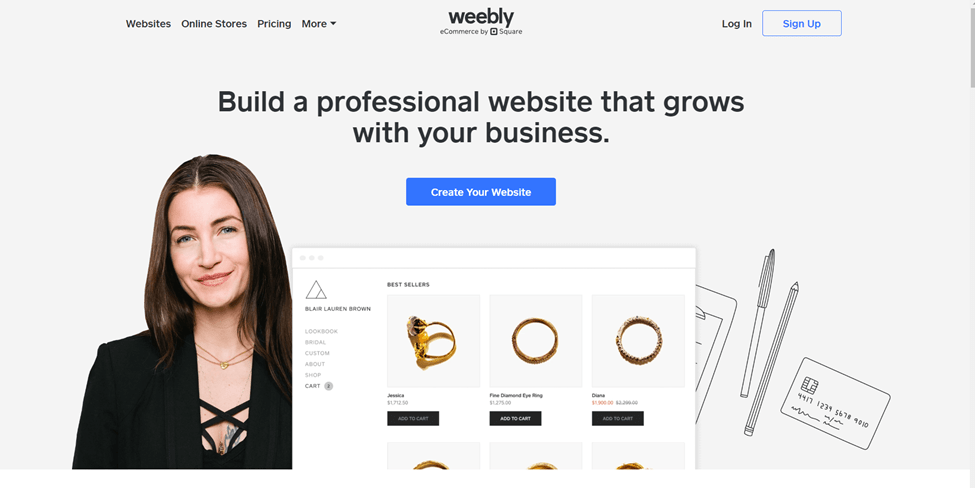
I’ve got to hand it to Weebly – this platform’s got the perfect mix of affordability, flexibility, and user-friendliness, making it a true heavyweight among website builders.
Seriously, it’s like they’ve cracked the code to website wizardry. And let me tell you, their low price isn’t the only thing that’s turning heads.
Picture this: They offer this fantastic free plan that’s like a treasure trove of features. It’s a fantastic lifeline for those of us who need a sleek website. Honestly, who doesn’t love a solid freebie that doesn’t compromise on quality?
Now, here’s where it gets really interesting.
Back in 2018, a major power move happened when Square snagged up Weebly. It’s like two dynamos collided – Weebly’s ultra-easy drag-and-drop editor and Square’s serious e-commerce prowess. It’s like the best of both worlds wrapped up in a digital package.
I’m not kidding when I say that Weebly’s editor is like a friend who speaks your language. Even if you’re not tech-savvy, this editor is your trusty sidekick.
With just a little learning curve, you’ll be crafting stunning sites like a pro.
And let’s be real: time is precious. Weebly gets that. It’s perfect for those of us who want a beautiful website without spending a lifetime on it.
But wait, there’s more! Weebly doesn’t just do websites; they’ve got e-commerce in their blood. Their e-commerce features are a league above the rest, seriously outshining the likes of Wix and Squarespace. If you’re eyeing an online store, Weebly’s got your back like a supportive mentor.
Weebly Pricing
- Free Plan: The free plan costs absolutely nothing, and you don’t need to enter your card details to sign up.
- Personal ($10/mo): The Personal plan allows you to connect to a custom domain.
- Professional ($12/mo): With the Professional plan, you can connect your domain and add more customization. It also offers more functionalities.
- Performance ($26/mo): As the name implies, this plan offers more performance and features that drive growth and manage operations.
Pros and Cons
pros
- User-friendly drag-and-drop website builder.
- Offers a range of pre-designed templates.
- Integrated hosting and domain registration.
- Suitable for beginners and small businesses.
- E-commerce features are available.
- Mobile-responsive designs.
- Provides basic SEO tools.
cons
- Limited advanced customization options.
- Some advanced features may be lacking.
- Not as robust for larger or more complex websites.
- Limited scalability for growing businesses.
Rating Based on Expert Review
| Attributes | Rating | Remark |
| Features | 4/5 | Offers basic website features and e-commerce. |
| Reliability | 4.5/5 | Generally reliable hosting and designs. |
| Ease of Use | 5/5 | User-friendly for beginners and small businesses. |
| Pricing | 4.5/5 | Pricing plans offer good value for the features. |
| Support | 4/5 | Support quality can vary. |
| Overall Rating | 4.4/5 | A straightforward choice for simple website building. |
Read our full review for Weebly
5. WordPress.com – Best for Bloggers and Writers
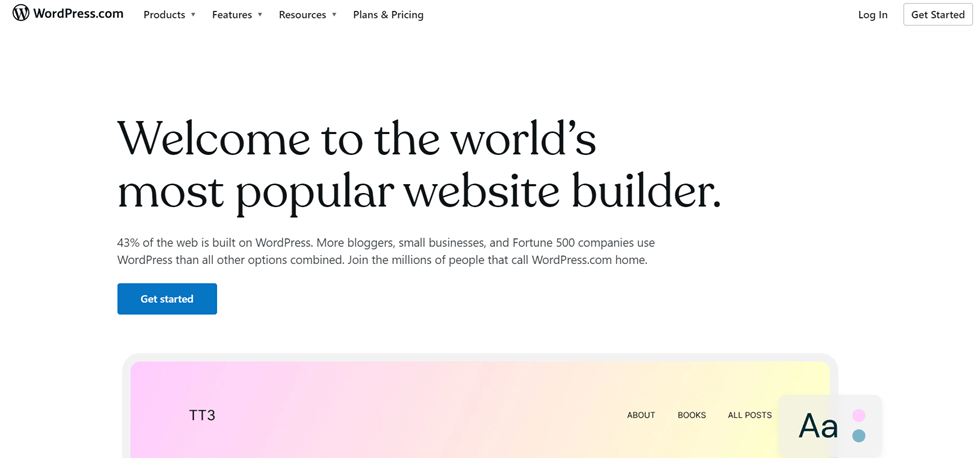
If you’re like me and you’ve got your heart set on a website builder that can handle all the ins and outs of running a successful blog, let me introduce you to your new best friend: WordPress.com.
Trust me, this platform is a game-changer when it comes to blog management, giving you all the tools you need to make your blog dreams come true.
Oh, and did I mention it won’t break the bank like its sibling, WordPress.org?
WordPress.com has taken user-friendliness to a whole new level. They’ve really fine-tuned the art of keeping things intuitive and smooth so you can focus on your content without the tech overwhelm.
Now, let’s clear the air a bit.
Yes, the name “WordPress” might evoke thoughts of the popular open-source software, but WordPress.com is like its cool cousin from Automattic Inc. Think of it as a service that’s built upon the same foundation as WordPress.org, but with its own unique twists.
WordPress.com is tailor-made for writers and bloggers. They’ve got their eyes on the prize, and that prize is helping you share your thoughts and stories with the world.
Sure, their website builder might not be as packed with features as some of the heavy hitters, but guess what? It’s designed to get you up and running with your blog in no time.
And here’s the catch – it’s not your typical drag-and-drop deal like you’d find with Weebly or Wix. It’s got its own rhythm, offering a different kind of flexibility that’s geared toward bloggers who want to focus on their words rather than getting lost in design details.
WordPress.com Pricing
- Free Plan: WordPress.com has a free plan that costs nothing to get on board. This plan will enable you to get a taste of the world’s most popular blogging software and CMS.
- Personal ($4.00/mo): The personal plan allows you to build custom sites with a custom domain name.
- Premium ($8.00/mo): You can build a unique site with powerful design tools with this plan.
- Business ($25/mo): The business plan allows you to unlock the power of WordPress with tons of plugins and cloud tools.
- Commerce ($45.00/mo): You can use this plan to build powerful online stores with many ecommerce features.
- Enterprise: The starting price for the Enterprise package is $25,000 yearly. It delivers an unmatched performance with all the features and resources you need to power your business.
Pros and Cons
pros
- User-friendly platform for creating websites and blogsy.
- Offers a range of plans for different needs, including free and paid optionsy.
- There is no need for separate hosting; hosting is includedy.
- Access to a wide range of themes and customization optionsy.
- Good for bloggers, content creators, and small businessesy.
- Built-in SEO tools and featuresy.
- Active and supportive user community.
cons
- Limited control compared to self-hosted WordPress.org.
- Customization options may be limited on lower-tier plans.
- Monetization options are limited to free and lower-tier plans.
- Some advanced features may require higher-tier plans.
Rating Based on Expert Review
| Attributes | Rating | Remark |
| Features | 4/5 | Offers a variety of features for different needs. |
| Reliability | 4/5 | Generally reliable hosting and performance. |
| Ease of Use | 4.5/5 | User-friendly interface and customizable options. |
| Pricing | 4/5 | Active community and support resources. |
| Support | 4/5 | Multiple contact channels but a slow response rate |
| Overall Rating | 4.1/5 | A versatile choice for creating content-based websites. |
6. GoDaddy – Best for Building Websites Quickly
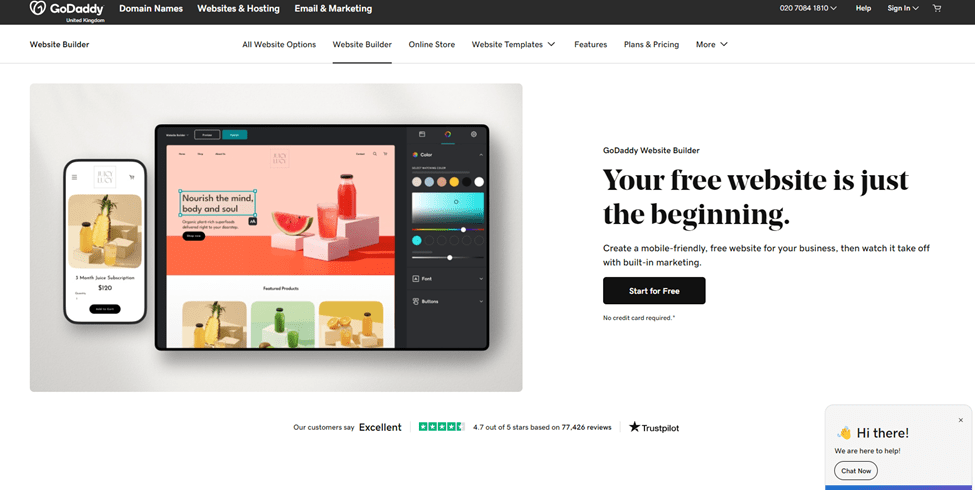
You know, GoDaddy isn’t just your go-to for snagging the perfect domain name and securing web hosting – they’ve got something pretty awesome up their sleeve: an incredibly user-friendly site builder that’s turning heads.
Their interface is a beacon of simplicity, and they’ve taken it a step further with design assistance.
All you need to do is share your info, and like magic, GoDaddy conjures up a website that’s ready to be tailored to your heart’s desire. It’s like having a personal website genie.
GoDaddy isn’t just about being simple – they’re all about being quick too. They’ve got these amazing pre-made layouts for all sorts of websites – from blogs to portfolios, even online stores. It’s like having a starter kit that makes your journey into the online world smooth and breezy.
You won’t believe how effortlessly you can build your dream website with GoDaddy.
Their templates are like masterpieces of minimalism, and they come with crystal-clear instructions for adding your own custom content. Seriously, it’s like they’re holding your hand every step of the way.
So, whether you’re a tech wizard or a complete newbie, GoDaddy’s got your back. They’ve turned website building into an art form, making it easy, intuitive, and enjoyable. When it comes to creating a website that shines, GoDaddy’s your secret weapon.
GoDaddy Pricing
- Free Plan: You can start your journey with a free plan that includes ads and GoDaddy’s logo.
- Basic ($9.99/mo): This plan comes with basic features with no support for advanced SEO.
- Standard ($10.49/mo): The Standard plan has many goodies, including a custom domain, on-the-go editing, advanced SEO, and more.
- Premium ($14.99/mo): The Premium plan offers more resources and features to build more complex websites.
- Ecommerce ($16.99/mo): You can use this plan to create small to large-scale ecommerce stores for your business.
Pros and Cons
pros
- Drag-and-drop builder with a user-friendly interface.
- Suitable for beginners and small businesses.
- Includes hosting and domain registration.
- Provides basic search engine optimization tools.
- Offers many customizable templates.
cons
- Limited customization compared to some other platforms.
- Not ideal for larger or more complex websites.
- Switching templates can be challenging.
Rating Based on Expert Review
| Attributes | Rating | Remark |
| Features | 4/5 | Offers basic website-building features. |
| Reliability | 4.5/5 | Generally reliable hosting and uptime. |
| Ease of Use | 4.5/5 | User-friendly for beginners and small businesses. |
| Pricing | 4/5 | Pricing plans offer a range of options. |
| Support | 4/5 | Accessible 24/7 customer support. |
| Overall Rating | 4.2/2 | A straightforward choice for simple website building. |
7. IONOS – AI-Powered Website Builder
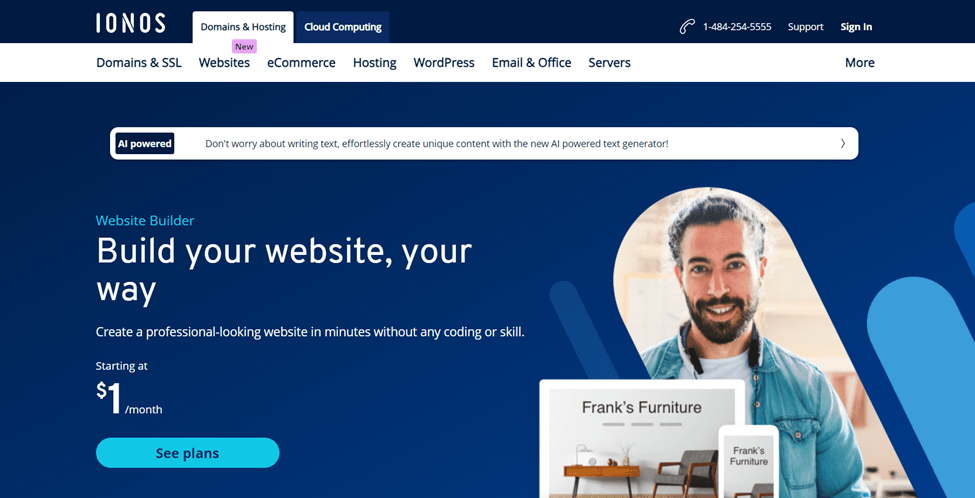
IONOS is one of the most popular web hosting companies in the world. Interestingly, this hosting provider also has one of the best website builders in the industry.
The company’s website builder – the one they’ve named MyWebsite – is a contender that can go toe-to-toe with some of the most popular standalone builders out there. The website builder is AI-powered and can effortlessly create unique content for you.
MyWebsite has an intuitive interface that practically guides you through the website-building journey.
And let’s not forget the icing on the cake – the drag-and-drop functionality.
Seriously, they’ve made it so seamless that even those of us who consider “tech” a foreign language can put together a stunning website.
But here’s the kicker. You might not notice it right off the bat, but the lowest-priced plan comes with a tiny catch – IONOS ads.
Yes, I know, it’s like they borrowed a page from the free website builder playbook. But here’s the silver lining: a swift upgrade to the Plus plan, and those ads are history.
The budget-friendly plan does have some limitations. You won’t find the multilingual translation feature, parallax scrolling, or those fancy photo galleries.
If you’re dreaming of a website that’s stacked with functionality like reviews or booking options, you’ll need to take the upgrade plunge.
However, the Pro plan has almost everything you need to build a stunning and highly functional website. It allows you to create content that’s tailor-made for specific visitors.
You can tweak the content based on sales, holidays, or any other events you fancy. It’s like a personalization party that’ll leave your visitors in awe.
IONOS Pricing
- Starter ($6.00/mo): The Starter plan provides an intuitive editor for newbies who want to get online quickly. It includes a one-year domain, professional templates, a professional email address, and 10 GB of storage.
- Plus ($1.00/mo): The Plus plan renews at $18/mo. It offers a powerful editor to customize your website design. Its additional offering includes an AI text generator and 50 GB of storage.
- Pro ($20.00/mo): The renewal rate for this plan is $28.00/mo. It offers the perfect combo of a powerful editor and SEO tool. The plan also offers SiteAnalytics Plus
Pros and Cons
pros
- Multiple language translations.
- Privacy and analytics tools.
- Low monthly fees.
- Reliable customer support.
- Responsive designs.
cons
- Ads on the lowest-priced plan.
- No membership websites.
- Limited, dated templates.
Rating Based on Expert Review
| Attributes | Rating | Remark |
| Features | 4/5 | They offer all the core website builder features you need |
| Reliability | 4.5/5 | Reliable hosting services and uptime |
| Ease of Use | 4.5/5 | User-friendly for newbies and non-tech-savvies |
| Pricing | 4.5/5 | Flexible pricing but higher renewal rates |
| Support | 4/5 | Reliable customer support with multiple contact channels |
| Overall Rating | 4.3/5 | They provide all-round services for creating and hosting your website |
Read our full IONOS Review
8. Zyro – Best for Affordability
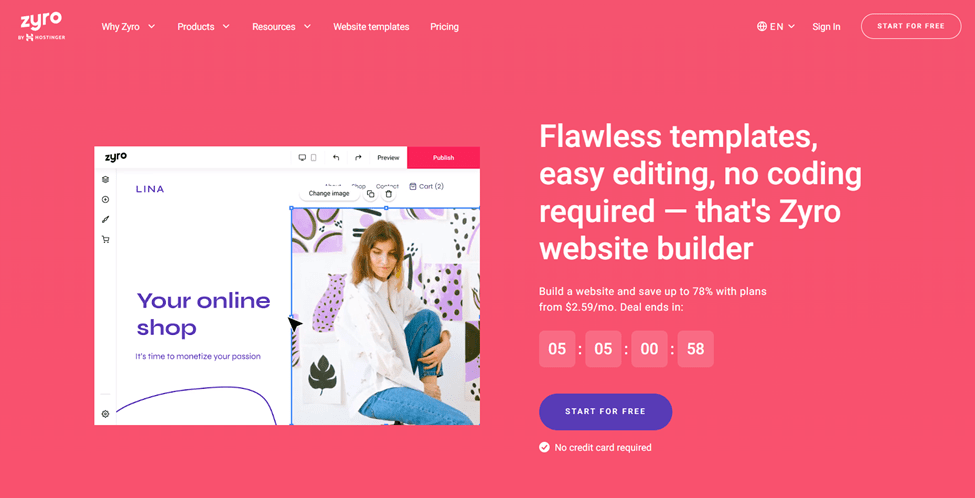
Pro Plan Price: $8/mo (33% off)
Premium Plan Price: $16/mo (33% off)
Read More
Zyro, the innovative website builder, proudly boasts one of the most wallet-friendly introductory price points we’ve come across.
The catch, though, is that this enticing deal comes with a twist – a four-year commitment.
However, if you’re in it for the long haul, this might just be the ticket to affordable web-building brilliance.
Zyro offers a dazzling selection of over 100 free templates at your fingertips, all ready to catapult your website dreams into reality.
Zyro’s design philosophy is outstanding – their templates are sleek and uncluttered and rely on striking hero images to create a lasting impact. It’s like they’ve cracked the code to make a visually captivating first impression.
Get ready to be wowed by Zyro’s user-friendly drag-and-drop editor.
Whether you’re on a personal quest or a professional mission, this editor has your back with its arsenal of basic elements.
It’s like they’ve distilled the art of web building into a few clicks and drags. But here’s the scoop – while the starter plan is wallet-friendly, it does have its limits.
With just 3 GB of bandwidth for data transfer and a humble 1 GB of storage for your site files, you’ll need to manage your digital space judiciously.
Plus, if you’re dreaming of a shopping cart feature, it’s not in the cards at this level. However, the company offers an ecommerce plan that provides many ecommerce features to enable you to build and run your online store.
In addition, Zyro has a cutting-edge tool that lets you seamlessly transplant your existing website to their platform. No fuss, no hassle.
It’s like a digital transplant surgeon. With this magic, your content finds a new home in an instant, set against Zyro’s fresh design backdrop.
Zyro Pricing
- Website ($2.59/mo): You can use this plan to create a professional blog, portfolio, and personal website.
- Business ($3.59/mo): This plan allows you to start instantly with eCommerce essentials.
Pros and Cons
pros
- Futuristic AI-powered design.
- User-centric simplicity.
- Integrated ecommerce solutions.
- Diverse templates collection.
- Innovative AI content generator.
- Includes SEO tools.
- Offers a logo maker.
- Super cheap plans.
cons
- Inconsistent support quality.
- Must commit to a multi-year contract for the best prices.
- Add-ons can be expensive.
Rating Based on Expert Review
| Attributes | Rating | Remark |
| Features | 4.5/5 | Unique AI-driven design and content features. |
| Reliability | 4/5 | Focus on speed and performance for websites. |
| Ease of Use | 4.5/5 | Intuitive interface with AI-powered assistance. |
| Pricing | 4/5 | Priced reasonably, but higher plans may be costly. |
| Support | 4/5 | Responsive support to assist users. |
| Overall Rating | 4.4/5 | A trailblazer in AI-driven website creation. |
Read our full review for Zyro
A Guide to Choosing the Best Website Builder
With a clear understanding of the importance of a website builder, you can begin your search for the best website builder.
The website builder market is saturated with many tools, making it overwhelming for many to choose, especially newbies. You have to consider a wide range of factors, and some of it boils down to preference.
I’ve put together a guide on how to choose the best website builder for your personal website, blog, or online store.
1. Define Your Goals and Purpose
Before diving into the vast sea of website builders, take a moment to reflect on your purpose and goals.
Are you looking to create an online store, a portfolio, a blog, or a corporate website?
Understanding your objectives will guide you towards the features and capabilities you require. For instance, an e-commerce site might necessitate robust sales features, while a portfolio site would prioritize design aesthetics and visual appeal.
Defining your purpose early on will serve as a compass throughout the decision-making process.
2. Choose User-Friendly Templates and Interface
I always go for a website builder that could streamline the design process without sacrificing creativity.
Opt for a platform with a user-friendly interface that allows you to effortlessly customize your website. Pre-designed templates can be a lifesaver, enabling you to start with a professional foundation and tailor it to match your brand.
The availability of responsive designs is also crucial, ensuring your website looks impeccable across various devices.
3. E-Commerce Capabilities
If you’re considering an online store, prioritize a website builder that offers robust e-commerce capabilities.
From secure payment gateways to inventory management, a reliable e-commerce system is pivotal to your success.
Ensure the platform supports your preferred payment methods and provides options for showcasing products effectively. A smooth and secure shopping experience for your customers can make a world of difference.
4. Pricing
Your budget plays a pivotal role in the decision-making process.
While free website builders might seem appealing, they often come with limitations and advertisements.
Invest in a platform that aligns with your budget while offering the features you truly need.
Compare pricing plans, considering factors such as domain registration, hosting, storage, and additional features. Remember, the value you receive for your investment matters more than the price alone.
5. Mobile Responsiveness
In an era dominated by smartphones and tablets, mobile responsiveness is non-negotiable.
A substantial portion of your audience will access your website through mobile devices, underscoring the importance of a mobile-friendly design.
Choose a website builder that emphasizes mobile responsiveness, allowing your content to adapt seamlessly to various screen sizes.
A website that functions flawlessly on mobile devices enhances user experience and reflects positively on your brand.
6. Flexibility and Scalability
Your business is likely to evolve, and your website must evolve with it.
Look for a website builder that offers scalability and flexibility. Whether you’re expanding your product line, adding new services, or incorporating a blog section, your chosen platform should accommodate these changes seamlessly.
Avoid being trapped by limitations that hinder your growth. As your business flourishes, so should your website.
Conclusion
As the digital landscape continues to evolve, these top 8 website builders offer Canadians the tools they need to build impactful online platforms. Whether it’s e-commerce, blogging, or showcasing portfolios, there’s a website builder on this list to suit every need and skill level. With the right website builder in hand, Canadians can confidently embark on their digital journey, establishing a strong online presence that resonates with their audiences across the country and beyond.


