


When it comes to choosing a VPN, it can be difficult for the average computer user to determine what’s what. Surely, you want a VPN that’s going to protect your web traffic, but you also want a VPN that’s not going to significantly slow down your Internet. The days of dial-up are long gone, and I do not want to go back. What’s the average consumer’s next line of action?
In this review, I’m checking out Perfect Privacy, a VPN company that’s located in Switzerland. I’ll go over the VPN’s information about the company itself, its pros and cons, and the VPN’s features, including streaming and torrenting.
Next, I’m putting Perfect Privacy to the test, making sure its speeds are cool, among other key performances. I’ll finish off by summarizing Perfect Privacy VPN’s Privacy and security, customer support, and finally, the conclusion. We have a lot to cover, so let’s dive in!
About Perfect Privacy VPN
Unlike all of the new VPNs that have flooded the market in recent years, Perfect Privacy has been providing quality privacy solutions since 2008. It is situated in Switzerland and is one of the few VPNs that has been validated to have no logs.
The parent firm, Vectura Data Management Limited, is in Zug, Switzerland, according to their website. As previously said, Switzerland is an excellent privacy-friendly jurisdiction. The Swiss Federal Data Protection Act (DPA) and the Swiss Federal Data Protection Ordinance (DPO) ensure privacy. This legal framework provides additional safeguards for Perfect Privacy clients and their data.
They also say that the company’s “Technical Implementation” division is situated in Panama under the name “Webinvest International SA.” This is particularly beneficial because Panama is a safe haven for privacy and is not a member of any monitoring coalitions. Other VPNs are incorporated in Panama because of the privacy-friendly rules, as we discussed in our NordVPN review.
This legal/corporate arrangement, combined with a strict zero-logs policy, is an excellent combination for safeguarding consumer privacy and data.
There are just 55 servers operated by Perfect Privacy across 23 nations. Naturally, before investing, I would make sure Perfect Privacy has a server in your nation.
Switzerland is where the company is headquartered, which is excellent. Why? Being renowned for its impartiality in international matters, Switzerland is not a party to any worldwide surveillance coalitions that may make it permissible for them to transfer customer data.
Despite the fact that their constitution safeguards individuals’ rights to privacy and freedom of speech, 70% of Swiss voters supported a referendum that would have allowed the government to monitor their online behavior.
Despite this, there have been no allegations of the government abusing its power, and using a VPN in Switzerland is totally lawful.
Perfect Privacy VPN Pros and Cons
Pros
- Located in Switzerland: The company’s location implies that it’s not part of any international surveillance alliances, a clear good sign.
- No logging: Perfect Privacy won’t keep a record of any of your activity, a given of any solid VPN.
- Kill-switch: Even if your connection to the VPN is lost, Perfect Privacy will ensure that your windows are killed, protecting your data.
- Works in China: Perfect Privacy provides three features that can help when connecting from a restrictive nation, such as China, Iran, and Turkey.
Cons
- Expensive: Subscriptions to Perfect Privacy are charged at €12.99 for a month, €119.99 for one year, and €214.95 for 2 years, which I believe is heavily pricey for what this VPN is worth, compared to the €2 of many of their competitors’ lowest options.
- Speed on Windows: With a latency raise of over 160%, I can’t recommend Perfect Privacy to Windows users.
Read Also our Full reviews:
Perfect Privacy VPN Core Features: How Perfect Privacy VPN Works?
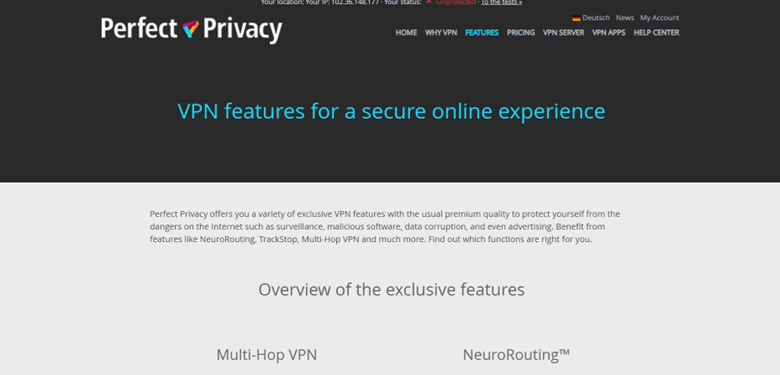
No Logs Policy
Perfect Privacy does not log any data and IP address except for users’ usernames and passwords, plus the email addresses they supplied in their account and the account’s expiration date. What they won’t keep is any data about your traffic or VPN activity, which is what matters.
Kill Switch
Perfect Privacy does provide a kill switch, often known as a network lock feature. If your network connection is lost, the kill switch will ensure that everything is “killed,” which means your websites and programs will close. You’ll keep your privacy even if the VPN fails for whatever reason.
I like how the kill switch in the Windows app can be configured to block all online traffic if you’re not connected to the VPN or if you close the Perfect Privacy app. In this manner, you never risk mistakenly accessing the internet without first connecting to the VPN.
256-bit AES Encryption
Encryption is the process of converting your data into incomprehensible code in order to keep it safe from prying eyes. Perfect Privacy employs AES-256 encryption, which is the industry standard. Although all IP addresses are anonymous and shared by all Perfect Privacy members, you may occasionally receive the same IP address upon reconnecting. Remember that the DNS (domain name server) is also anonymous.
IKEv2/IPSec
Perfect Privacy employs the OpenVPN and IKEv2/IPSec protocols, which are both secure and fast. However, I’d want to see Perfect Privacy add support for WireGuard, which is just as secure as OpenVPN and IKEv2/IPSec but considerably quicker.
RAM-Only Servers
Advanced security features include RAM-only servers and absolute forward secrecy. With RAM-only servers, each reboot wipes out all data. Furthermore, perfect forward secrecy alters the encryption key for each VPN connection.
Leaks Protection
Perfect Privacy offers complete protection against IPv6, DNS, and WebRTC leaks (other top VPNs, such as VyprVPN, need you to disable IPv6 and WebRTC to prevent leaks manually). I did leak testing while connected to servers in several countries and never saw any leaks. Perfect Privacy is also one of the few VPNs that allows IPv6 traffic rather than banning it, so you can use it to access IPv6-only websites.
Split-tunneling
Unfortunately, Perfect Privacy lacks split-tunneling, which allows you to pick which apps use the VPN and which use your local network, as do top VPNs like ExpressVPN and Private Internet Access.
Multi-Hop VPN
Perfect Privacy includes a sophisticated Multi-Hop feature that allows you to route your data through up to four separate VPN servers, offering several layers of encryption.
It’s simple to enable Multi-Hop VPN; simply select how many servers you want your connection to pass through. However, there is no indication of how to use it within the program. After a few tries, I discovered that you must select the server locations through which you want your connection to be routed, add them to the main dashboard (where you connect to the VPN), and then click connect. In comparison, NordVPN stores its dual VPN servers in a different tab, and all you have to do to connect is click on a pair of servers.
I was saddened to see that the feature is inoperable. The VPN took a long time to connect to each server, and the connection occasionally failed. Although Surfshark’s double VPN feature only sends your traffic across two servers, it allows you to choose the entry and exit server locations and works flawlessly.
Overall, Perfect Privacy’s Multi-Hop functionality is adequate if you don’t mind waiting for the VPN to establish the connections. I like that it’s adjustable and that you can choose up to four servers to route your traffic through, but it’s not very user-friendly.
TrackStop
Perfect Privacy’s ad blocker is excellent and highly adjustable. It successfully removed advertisements from ad-heavy media outlets (which made the sites load faster) and also banned my access to dubious HTTP sites in my tests.
TrackStop also allows you to block sites that are inappropriate for minors (such as gambling and porn sites), websites that spread fake news, and social networking sites that collect user data, such as Facebook, Twitter, Google, and YouTube. I like how you may block individual Facebook and Google domains or all social media sites with a single click.
Overall, TrackStop is a fantastic feature because it does an excellent job of blocking adverts, trackers, and suspicious websites, and I was pleasantly surprised to see that it also offers content filters for browsing.
Obfuscation
Perfect Privacy provides obfuscation with Stealth VPN, which works with the OpenVPN protocol. This option disguises your VPN traffic as standard internet traffic, allowing you to access the internet in restricted countries.
You receive 5 obfuscation methods, all of which achieve the same thing: add an additional layer of obfuscation to your VPN connection. I think it’s excellent that Perfect Privacy provides so many options so you can try something else if one way doesn’t work. Having said that, I believe ExpressVPN’s obfuscation feature is considerably more user-friendly because it is activated by default across all protocols and servers.
NeuroRouting
Another sort of multi-hop configuration supported by machine learning is Perfect Privacy’s NeuroRouting feature. Instead of selecting the servers through which your traffic passes, the VPN selects the ones that will provide the best protection. Surfshark is one of the few top VPN providers that provides a comparable service that routes your data via its whole network.
NeuroRouting routes your data through the VPN server nearest to the target server. For example, if you visit a website housed on a server in Tokyo, the data is routed through the Perfect Privacy network to the Perfect Privacy VPN server in Tokyo.
The main advantage is that it makes tracking extremely difficult. A Perfect Privacy support representative also informed me that NeuroRouting could assist users in restrictive countries who are experiencing difficulty connecting to Perfect Privacy.
Overall, Perfect Privacy’s NeuroRouting feature is excellent if you want to make it extremely difficult for others to trace you.
Works in China
It certainly does. Perfect Privacy offers three features that can be beneficial when connecting from a restrictive country such as China, Iran, or Turkey.
StealthVPN is the first such feature. StealthVPN “masks” HTTPS packets as conventional HTTPS. While Perfect Privacy does not share the secret sauce of their StealthVPN, one might guess that it employs the TCP protocol via port 443.
The second type is cascaded VPNs, sometimes known as multi-hop VPNs. In a Multihop configuration, you connect to one VPN server first, then to a second, third, or fourth VPN server (Perfect Privacy allows up to four hops). This can aid in connecting the VPN in countries where particular VPN locations are blocked.
Perfect Privacy’s third approach is known as NeuroRouting. While Perfect Privacy does not go into great depth about how the function works, NeuroRouting employs an algorithm to find the safest path for your traffic, depending on your current location and the destination of your traffic.
Perfect Privacy VPN Pricing

Perfect Privacy provides monthly and annual subscriptions. It allows for infinite connections (most VPNs only allow for 5-10 simultaneous connections); nevertheless, Private Internet Access also allows for unlimited connections and is a better overall offering.
Subscriptions to Perfect Privacy are billed at €12.99 for one month, €119.99 for one year, and €214.95 for 2 years, which I believe is way too costly for what this VPN offers. ExpressVPN, Private Internet Access, and CyberGhost VPN are far less priced and provide significantly better value.
Perfect Privacy accepts credit/debit cards, PayPal, cryptocurrencies, and a number of other payment methods handled by Paymentwall and Stripe. However, I am disappointed that it only offers a 7-day money-back guarantee, whereas other top providers offer a 30-day money-back guarantee.
Overall, Perfect Privacy is costly, supports a capped number of payment options, and offers a 7-day money-back guarantee.
Perfect Privacy VPN’s Privacy and Security
Perfect Privacy adheres to a rigorous no-logs policy, which means it does not collect your IP address, traffic (which sites you visit and which things you download), connection timestamps, or bandwidth consumption. Perfect Privacy simply logs your email address, which is required for payment and customer support.
While Perfect Privacy’s no-logs promise has not been reviewed, it was confirmed accurate in 2016 when Dutch police confiscated two of Perfect Privacy’s servers in Rotterdam but were unable to uncover any user data on them. Having said that, because this incident occurred a long time ago, I’d like the VPN to do an audit to convince its users that it does not log user data.
Perfect Privacy also has a warrant canary, which provides transparency by revealing if the provider has received warrants for user data or requests that could jeopardize the VPN service — while this is great, I wish Perfect Privacy published regular transparency reports (like CyberGhost VPN) proving the VPN does not store any user data.
Perfect Privacy is based in privacy-friendly Switzerland, which is not subject to the jurisdiction of the 5/9/14 Eyes Alliances (a collection of countries that share surveillance data with one another).
Overall, Perfect Privacy offers a strong no-logs policy that has been confirmed to be accurate and is headquartered in a privacy-friendly country.
Read Also our Full reviews:
Perfect Privacy VPN Performance
Speed
I did performance tests on my Windows 10 PC while connected to Perfect Privacy servers in all 20+ countries. I received the fastest speeds when connected to servers in Romania, but I encountered considerable slowdowns when connected to servers in the United States, Japan, Australia, and Canada.
First, I did a speed test without connecting to the VPN to establish a baseline for my network’s performance.
Perfect Privacy lacks a quick-connect option that links you to the fastest server for your location. So, I personally connected to a server in Romania – here are my results.
I then connected to a server in the United States. I experienced pretty good connections on neighboring Romanian servers — websites loaded quickly, HD videos loaded instantly and didn’t buffer, 4K films loaded instantly, but there was minor buffering while skipping through them, and I downloaded a 32 GB file in 14-15 minutes, which is really fast.
However, while sites and HD movies loaded promptly, 4K videos took 6-7 seconds to load, and I noticed substantial buffering while skipping through the videos, as well as high latency while playing online games on distant servers in the US.
Overall, Perfect Privacy supplied me with quick speeds on local and close servers, but my speeds on faraway servers decreased substantially. To be honest, leading competitors such as ExpressVPN and Private Internet Access offer much higher speeds across all servers.
Servers & IP Addresses
Perfect Privacy has 50+ servers in 20+ countries, which is much less than top providers such as ExpressVPN (which has servers in 90+ countries) and CyberGhost VPN (which has 9,000+ servers in 90+ countries). Perfect Privacy’s servers are largely in North America and Europe, with some in Asia and the Middle East. However, users in Africa, South America, and Central America will struggle to find a nearby server for fast connections.
Except for Australia, France, and the United States, Perfect Privacy enables torrenting on practically all of its servers. Other top providers, in my opinion, have superior torrenting support; for example, Private Internet Access supports P2P traffic on all of its servers, which are spread over 80+ countries.
Perfect Privacy provides an in-app option that displays the server ping (how long it takes for your device to talk with the VPN server) because this metric aids in the discovery of fast servers (low ping results in faster speeds). The ping is correct because I usually get higher speeds when utilizing low-ping servers.
However, I’m disappointed that the server ping option isn’t available on the Android app – Private Internet Access displays server ping on its mobile apps and color-codes the ping (making it simpler to distinguish which ping is good and which ping is terrible).
Overall, Perfect Privacy has a tiny server network, but it permits torrenting on practically all of its servers and provides an in-app option that displays the server ping.
Streaming & Torrenting
Perfect Privacy is not recommended for streaming – it can access Max, but it does not work with popular streaming services such as Netflix, Amazon Prime, Disney+, and BBC iPlayer.
If you’re looking for a great streaming VPN, I recommend ExpressVPN, which claims to be able to access 100+ streaming services (including Netflix) on a constant basis.
However, I believe Perfect Privacy offers adequate torrenting support, as it permits P2P traffic on servers in over 20 countries and works with popular torrenting software such as qBittorrent and Vuze.
It also has port forwarding (which allows you to connect to additional peers for quicker downloads) and SOCKS5 proxies (which change your IP address like a VPN but don’t utilize encryption, so they’re faster) — in my tests, employing both features resulted in 10-15% higher P2P speeds.
However, I believe there are superior P2P VPNs available, such as Private Internet Access, which supports torrenting on servers in 80+ countries (making it much easier to find a local server for rapid downloads) and also includes port forwarding.
Overall, Perfect Privacy is not suitable for streaming but provides adequate P2P support. It cannot access the most popular streaming sites, but it does have P2P servers in over 20 countries and has port forwarding and SOCKS5 support.
Bypassing Censorship
Perfect Privacy does a superb job of avoiding government restrictions. It provides obfuscation using Stealth VPN, and you can select from a few different obfuscation methods if one of them fails. Furthermore, support representatives from the supplier confirmed that the VPN works in restricted regions such as China, Iran, Russia, Saudi Arabia, and Indonesia.
Mobile & Desktop Apps
Apps for Perfect Privacy are available for Android, macOS, Windows, Android TV, and Fire Stick. I recommend ExpressVPN if you need a solid VPN that also includes iOS and Linux apps.
Android
The Android app is relatively basic since there are few options or features. Beginners will appreciate this because the app isn’t overwhelming, but Perfect Privacy is clearly intended for expert users, so I’m not sure why it didn’t include extra capabilities like Stealth VPN and Multi-Hop VPN in the mobile app. ExpressVPN’s Android client contains obfuscation, whereas NordVPN’s Android app includes multi-hop.
It’s also simple to identify and connect to servers. However, I wish the Android app included a quick-connect tool. There are far superior Android VPN apps available.
I was quite disappointed to see that the Android app is only available on select Android devices and is incompatible with newer Android versions. I hope Perfect Privacy will update its Android app so that it may be used by everyone.
Overall, the Android app is only adequate if your device supports it. It also misses many helpful features that Perfect Privacy provides.
Windows/Mac (Desktop)
Desktop programs have greater features than Android apps. I appreciate how the design is quite simple, and I believe it’s extremely helpful to choose between Simple, Advanced, and Expert modes.
The Simple mode automatically activates several security features, such as the kill switch, which is ideal for VPN newbies. The Advanced and Expert modes are better suited for advanced users because they allow for more flexibility. PrivateVPN has comparable options with Simple and Advanced views.
But I didn’t enjoy how flaky the Windows software is — I frequently encountered lags and mini-freezes when changing settings and couldn’t connect to several servers. Other top VPNs, in my opinion, have considerably more user-friendly Windows and macOS programs.
Overall, Perfect Privacy’s desktop apps are cool — they come with every feature the VPN offers and are user-friendly.
Is Perfect Privacy VPN Easy to Use?
The provider’s apps are easy to use, but only its desktop programs provide many features. I appreciate how its Windows and macOS programs can be customized, which is fantastic for sophisticated users, but you can also switch to a Simple mode, which is ideal for beginners.
However, its Windows app is buggy. While its Android app is simple to use, it lacks many helpful features like a quick-connect tool and Stealth VPN.
Perfect Privacy VPN Customer Support
Perfect Privacy offers a variety of help options, including setup tutorials, frequently asked questions (FAQs), support tickets, a forum, and email support, but no live chat.
This VPN includes a plethora of useful FAQs that answered all of my questions without requiring me to call support. Its setup instructions, which contain screenshots, are simple to follow.
Unlike ExpressVPN and Private Internet Access, Perfect Privacy does not offer live chat assistance. So, I tried its email support and ticketing system instead, which is terrible. I received a few responses after sending many emails and establishing support cases. The support representatives only responded to one email, and the information supplied was insufficient.
Furthermore, one of my support tickets was withdrawn without being handled, and despite filing a new ticket to address this, the representatives were unable to assist me in fixing the problem.
On the plus side, Perfect Privacy’s forum is reasonably active — I wrote two threads and received useful responses within 1-2 days.
Overall, Perfect Privacy features helpful FAQs, tutorials, and a lively community. However, it lacks live chat help and has a poor ticket system and email support.
Read Also our Full reviews:
How Do I Install and Set Up Perfect Privacy VPN?
- The installation process is similarly simple, with the Google One app installing in a matter of minutes. On your smartphone, perform the following steps:
- Visit the Google One official website to access the VPN.
- Tap “Get Google One” to access the Google Play Store and search for the Google One app.
- Choose “Install.”
- Once the installation is complete, launch Google One.
- Within the app, you may select your preferred Google One subscription level. Choose the 2TB (or bigger) package to obtain the VPN.
You will have access to all of the benefits of your Google One plan after your payment is accepted. Scroll down to the “Online protection with a VPN” dialogue box and press “Enable VPN” under the Home tab. This will send you to the VPN’s configuration page.
Frequently Asked Questions
Does Perfect Privacy Work with Netflix?
No, Perfect Privacy does not have access to Netflix. It also does not have access to other popular websites such as BBC iPlayer, Disney+, and Amazon Prime (but it does function with HBO Max).
If you’re looking for a reliable Netflix VPN, I recommend ExpressVPN, which claims to be able to access 100+ other streaming services as well as Netflix.
Is Perfect Privacy Good for Torrenting?
Yes, because Perfect Privacy supports P2P traffic on servers in over 20 countries and integrates with major torrenting software such as qBittorrent and Vuze. It also has port forwarding (connect to more peers for faster downloads), SOCKS5 proxies (similar to a VPN, but much faster), and robust security measures.
Having said that, I still believe ExpressVPN is a superior P2P VPN than Perfect Privacy because it enables torrenting on servers in 90+ countries (making it simpler to find a nearby server for fast speeds), has stronger security features, and is much faster and easier to use.
Does Perfect Privacy Work on iOS?
No, Perfect Privacy does not offer an iOS app; a manual setup is required, which is cumbersome and time-consuming.
ExpressVPN is my top selection for a strong iOS VPN since it has an easy-to-install and highly intuitive iOS interface, high-end security features, fast speeds, and superb streaming capabilities.
Is Perfect Privacy Safe?
Yes, because Perfect Privacy includes industry-standard VPN security features such as a kill switch, a no-logs policy (which was demonstrated when Dutch authorities confiscated part of the provider’s servers), and bank-grade encryption.
Perfect Privacy also includes advanced security features such as full leak protection, RAM-only servers (every server reset wipes all data), and perfect forward secrecy (changing the encryption key for each VPN connection to prevent hackers from compromising previous or future encryption keys).
However, I believe ExpressVPN is a far better option – it has good security protections as well but offers a significantly better value (it works with major streaming sites, has quicker speeds, and comes with more user-friendly tools).
Read Also our Full reviews:
Conclusion
Perfect Privacy is safe, fast on nearby servers, and allows for unlimited connections. It’s also good for torrenting and works in restricted regions, although I believe there are still places for improvement, like with other VPNs.
However, it is impossible to ignore the reality that all VPNs have flaws. Overall, I suggest Perfect Privacy as a VPN service. It worked perfectly on my Mac and Windows computers with no data leaks, and the company as a whole is sound.


