

Hey there, fellow Minecraft enthusiasts!
If you’re anything like me, you’ve probably spent countless hours immersed in the pixelated wonders of Mojang’s masterpiece.
But what makes this game truly magical is the ability to share your adventures with friends on a dedicated server.
Now, you might be thinking, “I’d love to host a server, but I don’t want to break the bank!” Fear not because I’ve got you covered.
In this article, I’m going to be your guide through the fantastic world of free Minecraft server hosting websites.
We all know the joy of crafting, building, and exploring with friends, and a reliable server is essential for that experience. But why pay a fortune when you can find hosting options that won’t cost you a dime?
I’ve scoured the web, tested various platforms, and talked to fellow gamers to compile a list of the absolute best free Minecraft server hosting websites. From easy setups to performance-packed options, I’ve got something for every type of player.
So, whether you’re a Redstone genius, an architectural virtuoso, or someone who loves digging in the virtual dirt with pals, stay with me as we uncover the top picks for hosting your Minecraft adventures without emptying your piggy bank!
The 10 Best Free Minecraft Server Hosting Providers
1.Aternos

3.Server.pro
4.Minefort
5.Minehut
6.FreeMcServer
7.Skynode
8.Falix
9.MagmaNode
10.PloudOS
The Best Free Minecraft Server Hosting Providers
1. Aternos – Overall Best Minecraft Server Hosting Site
Aternos has been a game-changer in my Minecraft journey. It’s a platform that offers a straightforward and user-friendly way to host a server, and it doesn’t cost a cent.
Yes, you read that right; Aternos is entirely free.
One of the standout features of Aternos is its simplicity. Setting up a server can often feel like a daunting task, especially for those without a background in IT.
Aternos, however, makes it a breeze.
You create an account, select the version of Minecraft you want to play, and customize server settings like game mode, difficulty, and more. It’s all done through a user-friendly web interface, so there’s no need to wrestle with complicated server files or configurations.
Aternos also offers a variety of mods and plugins, allowing you to tailor your server experience to your liking.
Whether you want to enhance the survival experience with new challenges or create a creative mode haven for building, the possibilities are nearly endless.
Plus, the platform keeps your server files safe with regular backups, so you don’t have to worry about losing your painstakingly constructed world.
Perhaps one of the best things about Aternos is its scalability. As your Minecraft community grows, you can adjust the number of player slots and server resources accordingly. This ensures that everyone gets a seamless and lag-free experience.
This free Minecraft server hosting site welcomes over one million visitors daily. Another thing I love about it is that it is fully customizable. You can adjust everything on your server to suit your gaming needs.
It also lets you add plugs to enhance your experience, take pre-configured modpacks, and play with your favorite mods. You can also use custom domains and share your links with your friends to join your server.
Of course, no service is without its limitations, and Aternos is no exception. Since it’s a free service, you may encounter some waiting time during peak usage periods, and server performance might not match that of premium providers.
However, for casual gamers and small communities, it’s an incredible value.
Pros and Cons
pros
- Automatic updates for Minecraft and plugins.
- Relatively easy to set up and use.
- Great for gamers on a tight budget.
- A web-based control panel for easy and convenient server management.
- You can customize server settings and install various plugins and mods.
cons
- Limited resources.
- There can be queues at peak periods.
- Uptime reliability.
- Slow support response for free users.
Rating Based on Expert Review
| Attributes | Rating | Remark |
| Features | 4.5/5 | Aternos offers a good range of features, especially for a free service. |
| Reliability | 4/5 | Reliability can be a concern, particularly for free users. |
| Ease of Use | 4.5/5 | The platform is generally user-friendly. |
| Support | 3.5/5 | Support can be slow and limited for free users. |
| Overall Rating | Aternos is a decent choice for budget-conscious Minecraft server hosting, but reliability and support can be improved. |
2. ScalaCube
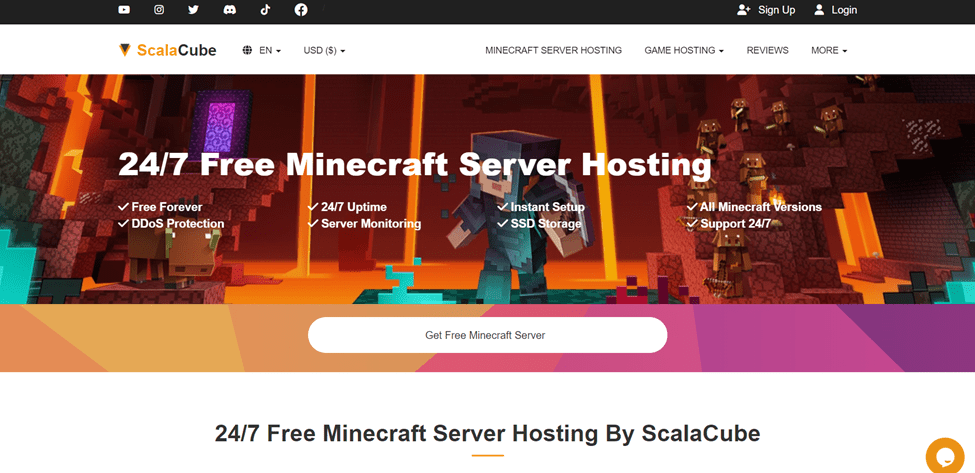
ScalaCube is a well-known name in the world of Minecraft server hosting, and for good reason.
It has earned its reputation by offering a reliable and feature-rich platform that caters to both beginners and experienced server administrators.
One of the key advantages of ScalaCube is its user-friendly interface. Setting up a Minecraft server can be a daunting task for newcomers, but ScalaCube simplifies the process.
With just a few clicks, you can have your server up and running, ready for you and your friends to explore, build, and survive.
ScalaCube offers a variety of Minecraft versions to choose from, ensuring compatibility with your favorite mods and plugins. Whether you prefer the latest snapshot or an older version for a specific mod, you’re covered.
The platform also allows for easy customization of server settings. You can tweak everything from game mode and difficulty to resource packs and server properties.
This flexibility means you can create the Minecraft experience you and your community desire.
Performance is another area where ScalaCube shines. Their servers are known for their stability and low latency, ensuring a smooth and lag-free gaming experience.
Whether you’re engaged in intense PvP battles or working on intricate redstone contraptions, you can count on ScalaCube to keep things running smoothly.
ScalaCube offers support for mods and plugins, which can enhance your gameplay and offer new challenges. With a simple interface for adding and managing these extras, you can tailor your server to your liking.
Customer support is crucial when it comes to server hosting, and ScalaCube doesn’t disappoint in this department.
They provide excellent customer service through live chat and ticket-based support, ensuring that you have assistance whenever you need it. However, customer support for free hosting is limited.
They have premium plans, offering more resources, support, and performance. Nevertheless, the free package is packed with many goodies, including:
- DDoS protection
- Server monitoring
- SSD storage
- 24/7 uptime
- All Minecraft versions
- 24/7 customer support
- Instant setup
Another cool thing about ScalaCube is that you can manage user permissions and ensure a secure and safe environment for your players. It also allows you to build your own community with other players.
Pros and Cons
pros
- The control panel is user-friendly and designed for all levels of users.
- Supports a wide range of popular games besides Minecraft.
- Allows you to scale up your resources easily.
- DDoS protection to protect your servers from malicious attacks.
- Allows you to customize your servers.
cons
- Limited resources for the free plan.
- Limited server locations.
Rating Based on Expert Review
| Attributes | Rating | Remark |
| Features | 4.5/5 | ScalaCube provides a comprehensive set of features suitable for various games. |
| Reliability | 4/5 | The service is generally reliable, with DDoS protection. |
| Ease of Use | 4.5/5 | The user-friendly control panel simplifies server management. |
| Support | 4/5 | ScalaCube offers 24/7 customer support, ensuring assistance when needed. |
| Overall Rating | 4.3 | ScalaCube is a solid choice for game server hosting, offering a good balance of features and reliability. |
Read our full review for ScalaCube
3. Server.pro
Server.pro is a name that often pops up in discussions about Minecraft server hosting, and it’s known for offering both free and premium hosting options for Minecraft enthusiasts.
Server.pro is a user-friendly Minecraft server hosting platform that offers both professional features and ease of use.
To get started with Server.pro, you can follow four simple steps:
- Sign up
- Create your server
- Configure it to your preferences
- Start playing.
This streamlined process makes it accessible for players to set up their Minecraft servers with ease.
Server.pro offers a versatile file editing feature with excellent syntax highlighting, making it easy to make changes to your server files.
Their file manager is designed to be simple, sleek, fast, and user-friendly, ensuring you can navigate it with ease.
Additionally, Server.pro ensures that your servers are always backed up, so you don’t lose any important data. You can choose between automated daily backups or create a one-time manual backup with just a single click.
Server.pro also provides the option to select custom hostnames for your server. You can personalize your experience by choosing between a light or dark theme. With these features, you can have your own Minecraft server up and running in just a matter of minutes.
Server.pro offers several features to enhance your Minecraft server hosting experience, including:
- Custom Game Configuration: You have the flexibility to configure your Minecraft game settings as per your preferences.
- Powerful Console: Enjoy full control of the game through a powerful console interface.
- File Manager: Access and manage your server files seamlessly with a fully-fledged file manager.
- Mod and Plugin Installation: Easily install mods and plugins to enhance your gameplay and server functionality.
- Adaptable Scheduler: Schedule commands to run at specific times to automate server tasks.
- Mod Upload: Effortlessly upload mods to your server, improving gameplay possibilities.
- Multi-Admin Control Panel: Collaborate with multiple admins through a centralized control panel.
- Map and World Changes: Change maps and Minecraft worlds with just a few clicks.
- Personalized Server: Customize your server and make it shareable with friends and communities.
These features make Server.pro a user-friendly and versatile platform for hosting and managing your Minecraft server.
Pros and Cons
pros
- While resources are limited, free servers offer decent performance for small to medium-sized player populations.
- You can install plugins and modes to create a tailored gaming experience.
- Customize your server settings to suit your unique needs.
- You can access tutorials and knowledge base to troubleshoot issues.
cons
- Free servers have limited resources.
- There may be a queue due to high demand.
- Free users have limited access to customer support.
Rating Based on Expert Review
| Attributes | Rating | Remark |
| Features | 4/5 | The free service offers basic features suitable for small to medium-sized servers. |
| Reliability | 4/5 | Reliability can be a concern, especially during peak times. |
| Ease of Use | 4.5/5 | The platform is designed to be user-friendly. |
| Support | 3.5/5 | Support options are limited for free users. |
| Overall Rating | 4/5 | Server.pro’s free Minecraft server hosting is a decent choice for players on a budget but comes with resource limitations and potential reliability issues. |
4. Minefort.com
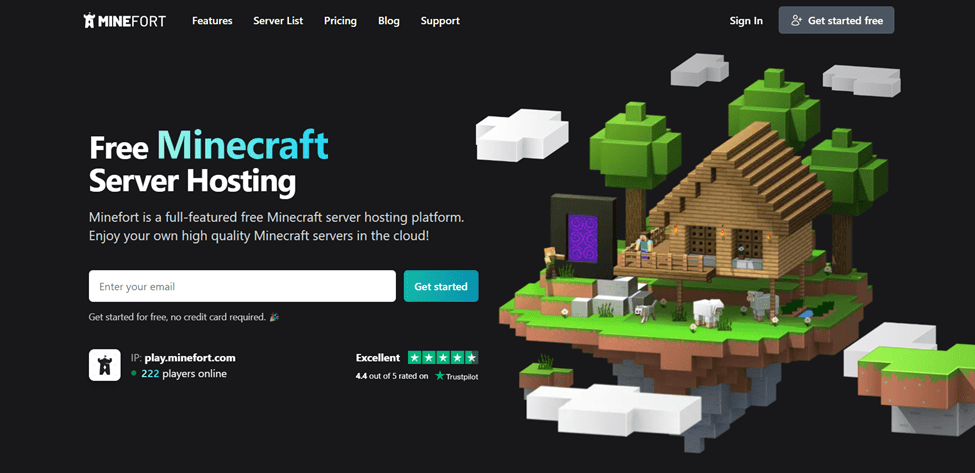
Minefort is a platform that provides the opportunity to play and manage a server for your friends without any cost.
It offers various server locations to ensure a smooth gaming experience with minimal latency. Additionally, Minefort provides an array of new features and options for customization.
If you desire more control or need additional slots, it offers the option to upgrade your server easily. This flexibility allows you to tailor your Minecraft server to your specific needs and preferences.
Minefort offers a user-friendly console for executing commands effortlessly, ensuring smooth server management.
With a customizable control panel, a wide range of plugins and mods, and dedicated support, you’ll have all the tools you need for your Minecraft adventures.
In addition to hosting your server, Minefort provides mini-games for added entertainment. Their blog keeps you updated with the latest Minecraft stories, news, and tips. Plus, there’s a plugin manager for enhancing your gaming experience by easily installing desired plugins.
To simplify server administration, Minefort includes an integrated file management server that allows real-time file management and customization for a seamless gaming experience. With a thriving community, Minefort offers endless possibilities for fun and exploration.
The free plan allows you to install unlimited plugins and supports up to 20 players. It offers 1 GB of RAM, which is small but offers a great start. The free plan lacks 24/7 online support, but you have access to their knowledge base to troubleshoot issues on your own.
You can upgrade to the Cottage plan for $5.99/mo if you want more resources. It offers 2 GB of RAM and supports 35 players.
Pros and Cons
pros
- Easy to set up and use.
- Lag-free gameplay experience.
- Install any plugin of your choice.
- Powerful console to run commands.
- Offers up to 10GB of storage.
- Intuitive file manager.
cons
- Contains ads.
- Priority queue.
- No online customer support.
- Limited mods.
Rating Based on Expert Review
| Attributes | Rating | Remark |
| Features | 4.5/5 | A handful of features to help you get started |
| Reliability | 4/5 | Great performance and uptime rating |
| Ease of Use | 4.5/5 | Suitable for new and experienced users |
| Support | 3/5 | No online customer support for the free plan |
| Overall Rating | 4/5 | They offer resourceful free Minecraft servers to enable you to enjoy your game with your friends |
5. Minehut
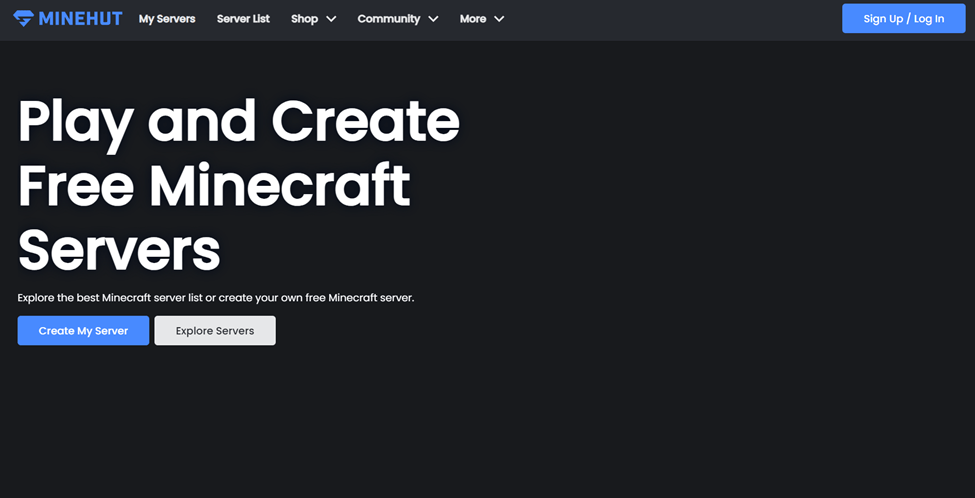
Minehut offers the flexibility to explore numerous Minecraft hosting servers or create a custom one tailored to your needs.
Although Minehut provides premium options, its free server includes features like a maximum of 10 player slots, 1 GB RAM, and 1 backup slot. This can be a great option for players looking to enjoy Minecraft without the need for a more extensive server.
Starting with Minehut is straightforward. You can explore various servers, from modded to RPG, Parkour, Box, Puzzle, Prison, and more, through the Minehut lobby. You have the choice between Java or Bedrock editions. To get started, open Minecraft, go to Multiplayer and then Add Server.
You can name it Minehut Lobby, enable server resource packs, and click Done. Once you’ve joined the Minehut server, you can use the compass to access multiple servers.
For setup guidance, you can refer to step-by-step YouTube tutorials or seek assistance from the Minehut support team available on Discord. This way, you’ll have all the resources you need to create and enjoy your Minecraft experience.
One of the major selling points of this Minecraft server provider is its endless add-on offering. You explore a wide range of Minecraft plugins to make your server unique and fun.
Security is another strong point of this hosting provider. They offer IP and DDoS protection to ensure your server is always safe and secure.
Pros and Cons
pros
- Great dashboard for server status Quick and easy setup.
- IP protection to keep your data safe as you enjoy the game.
- A large community of players to interact with.
- Tons of add-ons to make your server stand out.
- Many servers to join.
cons
- No mods.
- No online support.
- Max of 10 players for the free account.
Rating Based on Expert Review
| Attributes | Rating | Remark |
| Features | 4/5 | All the core features you need to run and manage your server |
| Reliability | 4/5 | They offer reliable uptime, but you might experience some downtimes during peak seasons |
| Ease of Use | 4.5/5 | Suitable for new and experienced users |
| Support | 3.5/5 | No 24/7 online support for free accounts. You can rely on their knowledge base section to resolve issues on your own |
| Overall Rating | 4/5 | They offer basic services for your Minecraft server hosting needs |
6. FreeMcServer
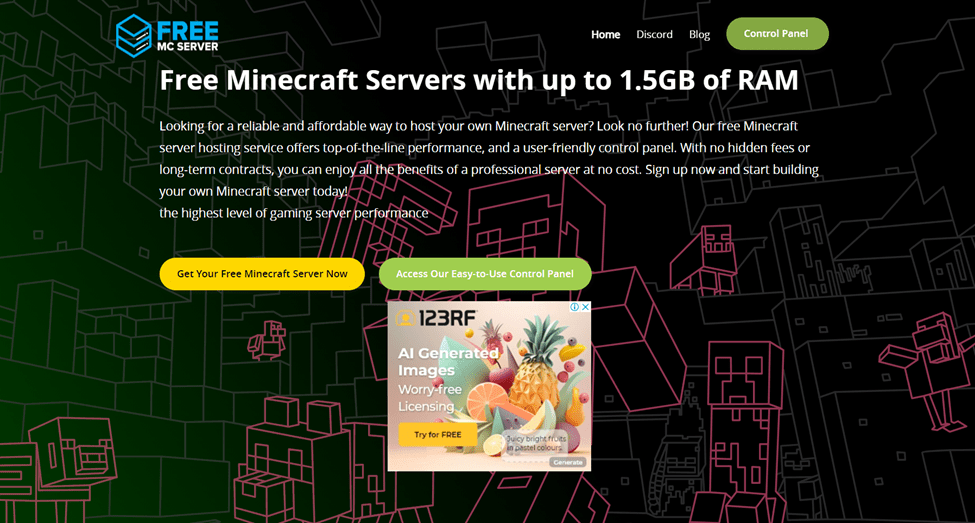
FreeMcServer is a reliable and completely free Minecraft server hosting solution. It provides 1.5 GB of RAM and offers top-notch performance for your Minecraft gameplay.
With no hidden pricing or long-term contracts, it’s a straightforward and cost-free way to enjoy a high-quality gaming experience.
FreeMcServer offers a user-friendly control panel that makes it easy to manage your server and collaborate with friends and teammates.
You can share control of your server with others, allowing them to help with server management tasks. The availability of an Android app ensures you can stay connected to your Minecraft world and receive real-time updates while on the go.
Furthermore, FreeMcServer supports the use of mods, allowing you to enhance your gameplay with additional features and functionality. The custom control panel gives you full control over your server hosting, allowing you to fine-tune settings to suit your preferences and requirements.
FreeMcServer provides FTP access, allowing you to upload custom maps and plugins to your server easily.
This feature empowers you to create your own adventure maps, add new features, and manage files with simplicity, ensuring your server runs smoothly and is tailored to your preferences.
Additionally, FreeMcServer offers DDoS protection to safeguard against malicious attacks, ensuring uninterrupted gameplay.
The use of the latest hardware contributes to lag-free gameplay, and the network is scalable, further enhancing your gaming experience. These features collectively make for a significantly improved gameplay experience.
FreeMcServer is also a great choice for those looking for reliable and affordable Minecraft hosting services. Their plans are affordable, offering generous resources to give you everything you need to run and manage your server.
Protect your Minecraft world from unexpected mishaps like rogue TNT explosions by utilizing their user-friendly control panel. It allows you to create backups of your Minecraft server effortlessly and, should the need arise, restore them to their previous state.
Moreover, their automated backup system ensures continuous protection for your server, allowing you to concentrate on your building and exploration endeavors.
Harness the power of FTP access to your server folder and unlock the potential for customization on your Minecraft server. Whether your ambition is to craft your own adventure map or introduce exciting new features, their FTP access streamlines the process, making it accessible to all.
Furthermore, their intuitive control panel simplifies file management, ensuring the seamless operation of your server.
Pros and Cons
pros
- Advanced security features, including DDoS protection.
- Routine backups to keep your data safe.
- Support for all Minecraft versions.
- Unlimited slots to add your players.
- Up to 4 GB of free RAM for the free plan Supports mods.
- Over 10 GB of storage.
cons
- Limited customer support.
- Reliability varies depending on the demand.
Rating Based on Expert Review
| Attributes | Rating | Remark |
| Features | 4.5/5 | The free features are enough to host and manage your Minecraft servers |
| Reliability | 4/5 | You can count on them most of the time, but reliability is sometimes affected by high demand |
| Ease of Use | 4.5/5 | Suitable for new and experienced users |
| Support | 4/5 | They provide limited customer support for free plans |
| Overall Rating | 4.3/5 | The free resources are enough to enjoy the game with your friends at a basic level. |
7. Skynode
Skynode offers a reliable, 24/7 Minecraft server hosting solution that’s completely free.
With robust DDoS protection, your servers remain safe and secure even in the face of the most determined attacks.
Additionally, Skynode boasts an SLA (Service Level Agreement) that guarantees 100% uptime, ensuring your Minecraft experience is free from lag, delays, or downtime. Enjoy uninterrupted gaming on Skynode’s stable and secure hosting platform.
Creating a free Minecraft server with Skynode is quick and easy. Here are the steps to get started:
- Visit the Skynode panel and create an account.
- Click on the “Claim a Free Server” option.
- Choose the type of server you want and give it a name.
- Click on “Create Server,” and you’re all set!
Enjoy your free Minecraft server with Skynode, backed by their excellent service and reliable support.
One of the biggest worries when it comes to free services is hidden costs. However, Skynode delivered on its promise of providing a genuinely free Minecraft server. I breathed a sigh of relief, knowing that my virtual kingdom could flourish without worrying about unexpected charges.
What’s a Minecraft server if it’s not available when you need it? Skynode’s servers offer impressive uptime, ensuring that your world is accessible to friends and fellow adventurers whenever they want to join the fun.
This reliability gave me the peace of mind to plan epic quests and massive building projects without interruptions.
Minecraft is undoubtedly more enjoyable with friends, and Skynode fostered a vibrant community of Minecraft enthusiasts. Here, you connected with like-minded players, sharing experiences, collaborating on epic projects, and forging new friendships.
Minecraft is all about creativity, and Skynode understands that. The free server hosting will allow you to customize your server to your heart’s content. From adding exciting mods to implementing plugins that enhance gameplay, you have the power to shape your Minecraft experience into something truly unique.
Pros and Cons
pros
- Highly customizable.
- Reliable servers with a 100% uptime guarantee.
- A vibrant community of Minecraft enthusiasts to play with.
- No hidden costs – you don’t have to pay for anything in the free plan.
- Seamless setup and user-friendly interface.
- DDoS protection.
cons
- Queue at peak times.
- A limited number of players.
- No customer support.
- Less performance.
Rating Based on Expert Review
| Attributes | Rating | Remark |
| Features | 4/5 | Some core free features to help you get started |
| Reliability | 4/5 | They offer a 100% uptime guarantee but less performance for the free plan |
| Ease of Use | 4.5/5 | It is easy to set up and use |
| Support | 3/5 | No customer support for the free plan. You have to rely on the community for support |
| Overall Rating | 4/5 | The free resources are enough to play with a few friends |
8. Falix
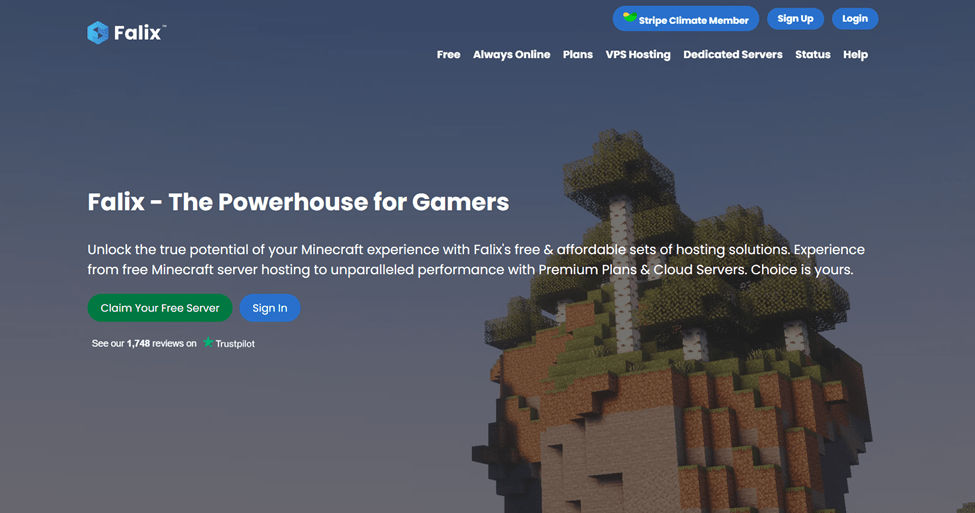
Falix stands out in the realm of free Minecraft hosting by offering a range of notable benefits.
With Falix, users can create up to three Minecraft servers, and the best part is that all of this is available for free.
This allows players to host multiple Minecraft worlds or game modes simultaneously without incurring any hosting costs. It’s a valuable feature for individuals or communities looking to enjoy diverse gameplay experiences.
Here are some of the core features of Falix
- 24/7 Uptime: Falix servers are online 24 hours a day, ensuring that your Minecraft world is accessible whenever you want to play.
- No Premium Account Required: Unlike some free hosting services that may require a premium Minecraft account, Falix allows players with both premium and non-premium accounts to use their servers.
- Customization: Falix offers server customization options, allowing you to configure your server settings to match your preferences.
- User-Friendly Control Panel: The control panel provided by Falix is designed to be user-friendly, making it easy to manage your server and settings.
- Low Latency: Falix aims to provide low-latency gameplay by hosting servers in multiple locations to ensure a smooth gaming experience.
- Support: While being a free service, Falix does its best to provide support and assistance to its users.
Falix currently has more than 140,000 servers with a large community of over 750,000 users. With such a large community, you will always find like-minded players with whom to embark on adventures and have fun.
One of the unique things about this company is that it does its best to provide support for free users. The support is not always reliable, but it comes in handy sometimes. You can also rely on the community to answer your questions and learn new things about the system.
Falix allows you to transform your Minecraft world into a playground of endless possibilities by giving you access to a robust library of plugins and mods. You can use the plugins and mods to customize your gameplay, making it more exciting and visually appealing.
Pros and Cons
pros
- Unlimited creativity with plugins and mods.
- Supports Minecraft Java and Bedrock.
- Supports a wide range of games besides Minecraft.
- 120% CPU power.
- Effortless file management.
- Complete control over your Minecraft experience.
cons
- No dedicated hardware.
- No memory overhead.
- Metered databases, ports, and disk storage.
- Contains ads.
Rating Based on Expert Review
| Attributes | Rating | Remark |
| Features | 4/5 | They offer some basic free features for a start |
| Reliability | 4/5 | The performance varies depending on the demand |
| Ease of Use | 4/5 | It is easy and quick to set up |
| Support | 3.5/5 | Limited customer support. |
| Overall Rating | 3.9/5 | The free plan has limited resources, but it is ideal for playing with a small group |
9. MagmaNode
MagmaNode is a free Minecraft server hosting platform that operates on two nodes and boasts an impressive overall uptime of 99.87%.
This high level of uptime ensures that your Minecraft servers remain accessible and operational nearly all the time. It’s an essential feature for those who want a reliable and uninterrupted gaming experience.
Additionally, MagmaNode offers premium-quality DDoS (Distributed Denial of Service) and DoS (Denial of Service) protection.
These security measures are crucial for safeguarding your servers from malicious attacks, ensuring they stay secure and available to players.
By effectively mitigating these threats, MagmaNode helps maintain the stability and integrity of your Minecraft servers.
It’s great to see that MagmaNode offers such a wide range of features and capabilities for free Minecraft server hosting. Here’s a summary of the key features they offer:
- Multilingual Customer Support: MagmaNode provides customer support in multiple languages, ensuring that users from around the world can easily navigate and use their platform.
- Server Backups: You can create backups directly from the dashboard, offering peace of mind that your server data is safe. These backups come in handy if your server experiences corruption or data loss.
- No Slot Limit: MagmaNode does not impose a player slot limit, allowing you to invite and play with as many friends and teammates as you like without restrictions.
- Server Reinstallation: You have the flexibility to reinstall your server at any time, even switching between different Minecraft versions using MagmaNode’s user-friendly interface.
- FTP Access: MagmaNode offers FTP access to your server folder, allowing you to upload custom maps and plugins easily, enhancing your Minecraft gameplay.
- Discord-Based Support: In case you encounter issues like lag or delays, MagmaNode provides support through Discord to help optimize your server’s performance.
- Whitelist Protection: Maintain a whitelist on your server to control who can access it, providing enhanced security and preventing unauthorized users from joining.
- Pre-Configured Worlds: You can upload pre-configured worlds to your server, ensuring you don’t start in an empty world when creating your server.
These features, combined with the other functionalities provided by MagmaNode, make it a versatile and user-friendly choice for those looking to host a Minecraft server without incurring additional costs.
The ability to switch versions, create backups, and have unlimited player slots can greatly enhance your Minecraft gameplay.
Pros and Cons
pros
- Reputable providers.
- Great uptime guarantee for all servers.
- Highly customizable servers.
- User-friendly control panel for stress-free server management.
cons
- No customer support for the free plan.
- Limited resources and slots.
Rating Based on Expert Review
| Attributes | Rating | Remark |
| Features | 4/5 | They provide a handful of features |
| Reliability | 4.5/5 | They offer a 99.87% uptime guarantee on all servers |
| Ease of Use | 4/5 | You can set up and use their servers effortlessly, regardless of your level of experience |
| Support | 3/5 | You have to rely on the community and documentation for support |
| Overall Rating | 3.8/5 | They offer limited slots and resources but great performance for hosting your Minecraft servers |
10. PloudOS
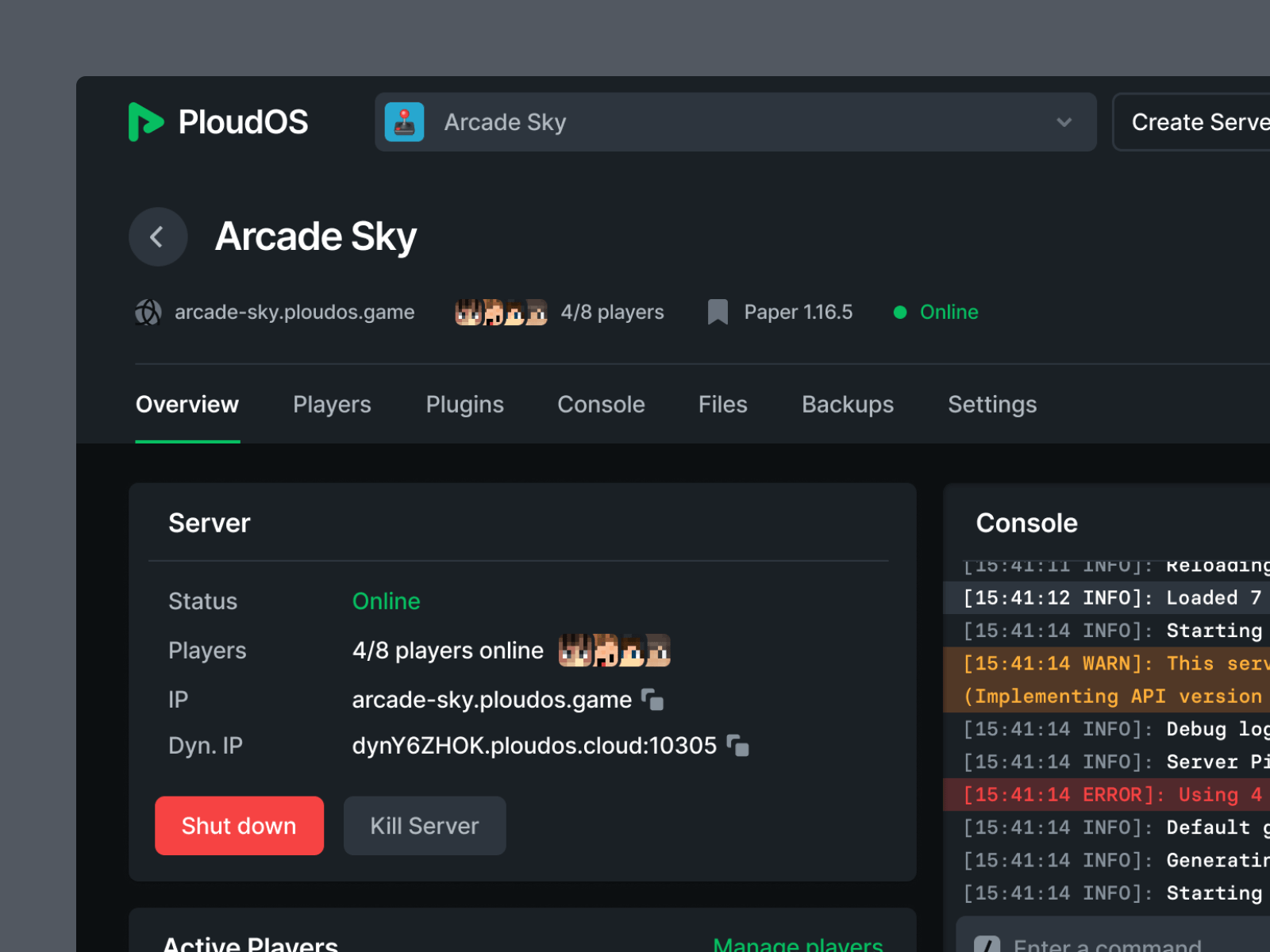
PloudOS is a free Minecraft server that’s a bit different from the rest. They’ve set up a simple four-step process to get started.
What makes PloudOS special is its vast collection of plugins and mods. These are like power-ups for Minecraft, allowing you to customize your game in countless ways.
Imagine being able to transform your Minecraft world into anything you want, from epic adventures to fantastical landscapes – PloudOS makes it all possible.
It’s a gamer’s dream playground with endless opportunities for creativity and exploration. So, let’s get started and see what magic we can create in this Minecraft wonderland!
For Minecraft enthusiasts like myself, PloudOS comes with a fantastic perk: the capability to establish up to 20 servers, setting it apart from the competition.
PloudOS boasts many great features, such as;
- High-Performance Hardware: Harnessing the might of high-end AMD Epyc CPUs ensures you have the power and performance needed to run your Minecraft worlds smoothly.
- Ample SSD Storage: With up to 6 gigabytes of SSD storage at your disposal, you’ll have the space to build and expand your virtual creations.
- Limitless Customization: PloudOS offers the freedom to explore endless possibilities with unlimited plugins and modifications for your Minecraft universe, enabling you to tailor your gaming experience to perfection.
- Top-Notch Security: Say goodbye to worries about online threats with DDoS protection, guarding your servers against attacks before, during, and after your gameplay sessions.
- Multi-Server Management: Take control of your gaming empire with up to 20 FREE servers, each manageable individually to suit your various gaming needs.
- FTP Access: If you’re a tech-savvy Minecraft wizard, PloudOS even provides FTP access, empowering you to upload plugins, mods, and other essentials to craft your ideal Minecraft environment.
However, it’s essential to weigh the pros and cons. On the downside, PloudOS offers a relatively modest storage allocation of 6 GB. When you consider that many other hosting services provide between 10 and 15 GB, it falls behind in terms of storage capacity.
This limitation means that if you’re planning to host a server with an extensive player base, PloudOS might not be the ideal choice due to its storage constraints.
Pros and Cons
pros
- High-end, fast CPUs for better performance and power.
- Unlimited mods and plugins.
- Up to 20 free servers.
- FTP access and easy-to-use control panel .
- DDoS protection and other key security measures.
cons
- No free domain.
- No free domain transfer for monthly billing.
Rating Based on Expert Review
| Attributes | Rating | Remark |
| Features | 4/5 | Lots of features and tools to enhance your server |
| Reliability | 4/5 | They guarantee quality uptime and reliability |
| Ease of Use | 4.5/5 | Ideal for all levels of users |
| Support | 3.5/5 | You can rely on their Discord community for support |
| Overall Rating | 4/5 | Their services are great for limited multiplayers |
Tips for Choosing the Right Free Minecraft Server Hosting Provider
Minecraft has captured the hearts of gamers worldwide with its boundless creativity and limitless adventures.
Whether you’re looking to build epic structures, embark on exciting quests, or simply survive in the pixelated wilderness, having a reliable server is essential.
As a Minecraft enthusiast who has navigated the world of free server hosting providers, I understand the importance of choosing the right one.
Here are some key things I would recommend you look out for when choosing a free Minecraft server:
1. Server Performance
The first and foremost factor to consider is server performance. A laggy and unresponsive server can ruin the Minecraft experience.
Look for a hosting provider that offers robust hardware and ample resources to ensure smooth gameplay. Check if they have powerful CPUs, sufficient RAM, and a fast internet connection.
Additionally, consider the number of players the server can handle simultaneously, as overcrowding can lead to performance issues.
2. Server Uptime and Reliability
Minecraft is a game that never sleeps, and you don’t want your server to go offline when you’re in the middle of an exciting adventure.
A reliable hosting provider should guarantee high uptime, ideally 99.9% or higher. Downtime can lead to data loss and frustrated players, so prioritize providers with a solid track record of server reliability and minimal maintenance periods.
3. Control Panel and Customization
Having control over your Minecraft server is crucial for tailoring your gaming experience. Opt for a hosting provider that offers a user-friendly control panel like Multicraft or Pterodactyl.
This panel should allow you to install mods, customize server settings, and easily manage player permissions.
The ability to make changes without a steep learning curve can greatly enhance your Minecraft experience.
4. DDoS Protection
The Minecraft community is not immune to Distributed Denial of Service (DDoS) attacks. Protecting your server from these malicious attacks is essential to maintain its availability.
Choose a hosting provider that offers DDoS protection as part of their service. This security measure can prevent disruptions caused by malicious traffic and ensure your server remains accessible.
5. Support and Community
No matter how experienced you are with Minecraft servers, you may encounter technical issues or have questions.
A hosting provider with responsive customer support can be a lifesaver. Look for providers that offer various support channels like live chat, email, or ticket systems.
Additionally, consider joining the provider’s community forums or Discord server to connect with other users and seek assistance or advice.
6. Server Location
Server location can impact your Minecraft experience, especially if you plan to play with friends from different regions.
A server closer to your physical location can reduce latency and provide a smoother gaming experience.
Check if the hosting provider offers server locations in regions that suit your needs or provides options to switch server locations easily.
7. Resource Limits and Restrictions
While free server hosting providers are enticing, they often come with resource limitations and restrictions.
Carefully review the terms and conditions of the hosting provider to understand any limitations on the number of players, server uptime, and available features. Make sure the provider’s offering aligns with your Minecraft server’s needs and your gaming goals.
Wrapping Up
Free Minecraft server hosting providers offer a budget-friendly way to enjoy the game with friends and build your virtual worlds. While these options have their limitations, they can be ideal for small communities or players on a tight budget. Keep in mind that free services may have restrictions on resources, so if your server’s needs grow, you might want to consider upgrading to a paid plan. Regardless of your choice, the Minecraft community offers numerous options to explore and enjoy the game with friends.


